 Zinn® SEO
Let AI agents improve your SEO
Let Claude, ChatGPT, Cursor or another AI assistant check and improve your site's SEO for you, with every change logged, tried first, and held for your approval if you want.
Switch on AI agents
Go to SEO, Settings, AI agents and switch on Allow AI agents (MCP). Until you do, no assistant can reach Zinn® SEO. You need WordPress 6.9 or later.
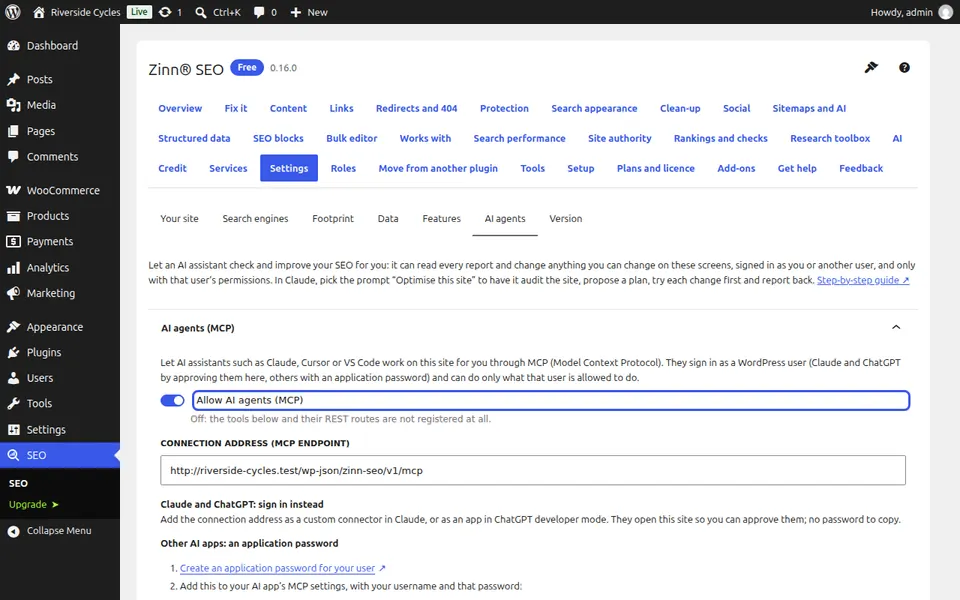
Connect your assistant
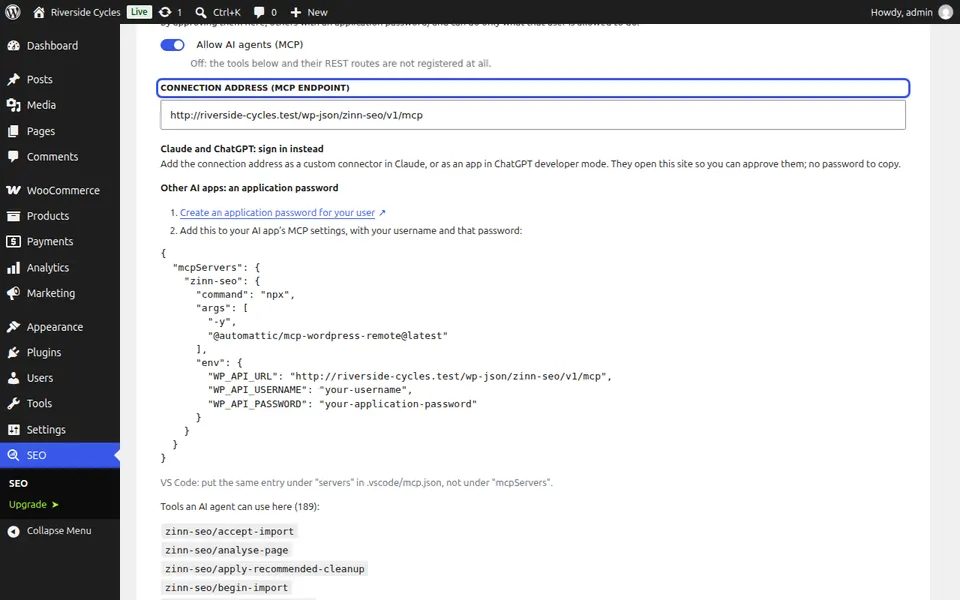
Copy the connection address. In Claude, add it as a custom connector; in ChatGPT, as an app in developer mode: each asks you to approve it on your site, with no password to copy. Other apps use an application password and the settings shown on the tab.
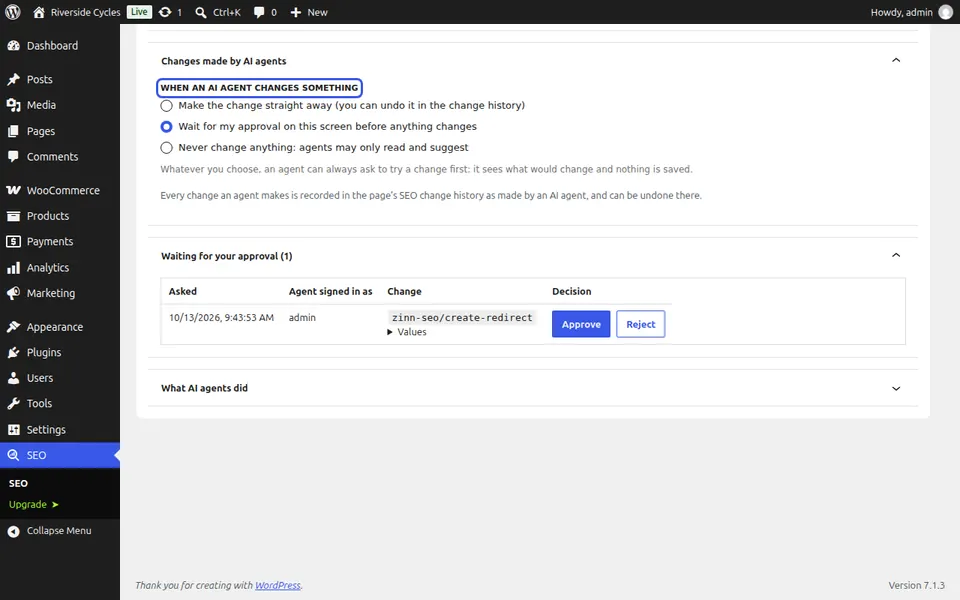
Choose what happens to its changes
Make changes straight away, wait for your approval, or never change anything (the assistant only reads and suggests). Whatever you choose, it can always try a change first and show you what would change, without saving anything.
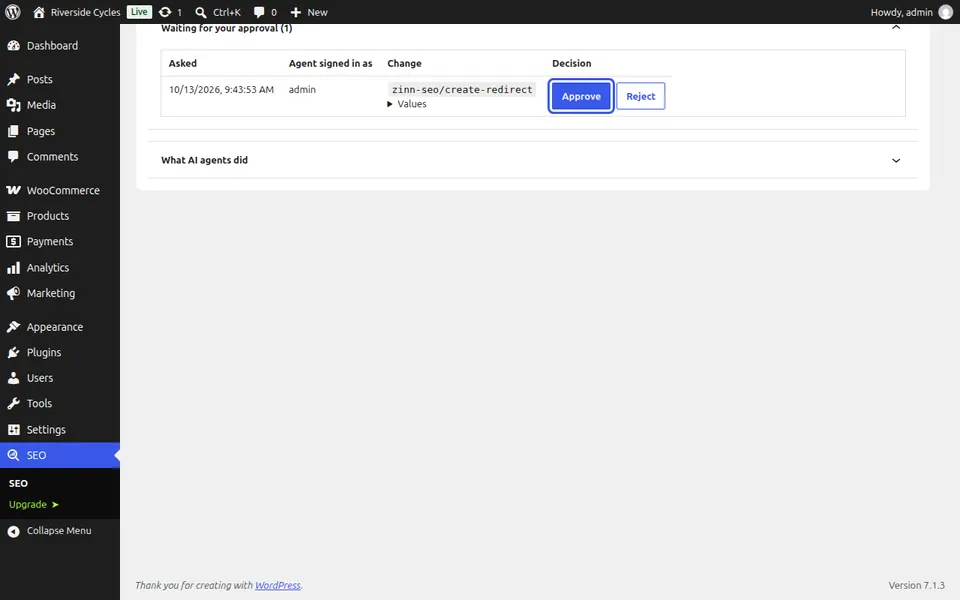
Approve or reject waiting changes
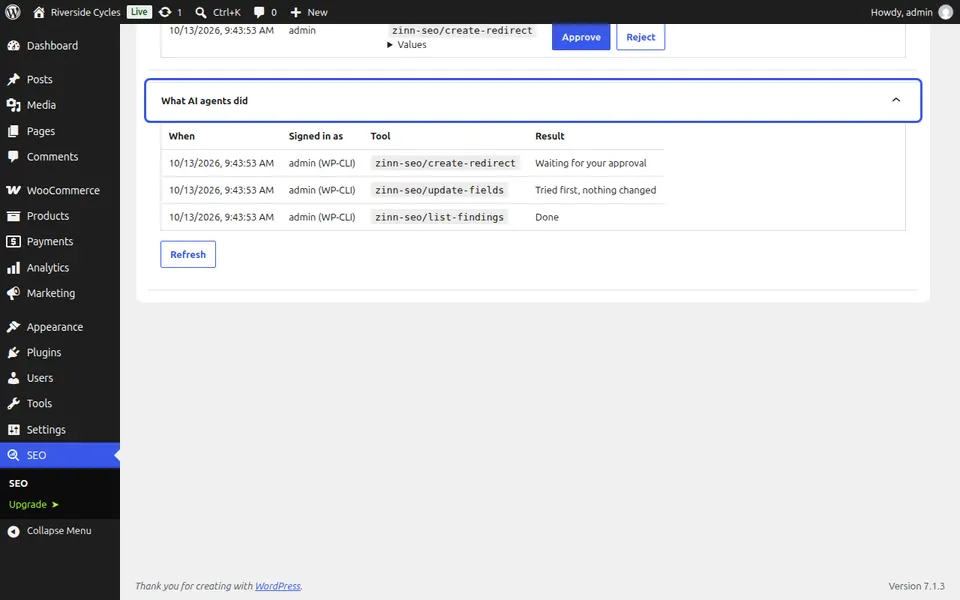
With approval on, each change the assistant asks for waits under Waiting for your approval, with its values. Approve makes it as you, with your permissions checked again; Reject drops it.
See what the assistant did
What AI agents did lists every call: when, which user it signed in as, the tool and the result. Every change also shows in the page's SEO history as made by an AI agent, where you can undo it. In Claude, pick the prompt Optimise this site for a full audit, plan, changes and report.
Next guide: See which plugins Zinn® SEO works with
From the same team
Want fast hosting to go with it?
Zinn Digital® hosts WordPress on its own servers, with a CDN, DNS, TLS and daily backups included in every plan.