 Zinn® SEO
Zinn® SEO
Guides
A step-by-step WordPress SEO guide: install Zinn® SEO, set it up and use every part of it, with real screenshots.
Getting started
- Install Zinn® SEO
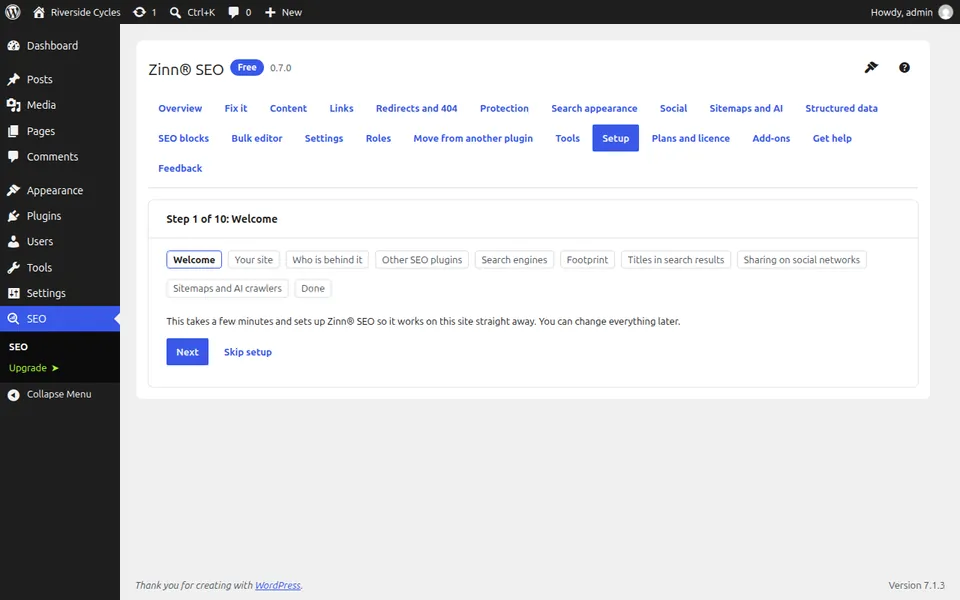
Upload the plugin, switch it on and you are ready for the guided setup. - Run the Zinn® SEO guided setup
The guided setup starts on its own after activation and takes a few minutes. Every step can be skipped. - Move from Yoast, Rank Math or another SEO plugin
Bring your titles, descriptions and settings over from your current SEO plugin, check every page and switch over with an Undo. - Set your WordPress SEO title and meta description
Templates give every page a good title and description without editing each one. - Use a focus phrase and the content analysis
Set the focus phrase (some plugins call it a focus keyphrase) a page should rank for and follow the SEO and readability checks while you write.
Content and structured data
- Edit SEO titles and descriptions in bulk
Change SEO fields for many posts in one table, or apply one change to every matching page, with undo. - Find orphan pages and add internal links
Use the link index to find pages nothing links to, and the editor's suggestions to link them. - Redirect a page in WordPress and fix 404 errors
Add a redirect, let the plugin write them when pages move, and turn the 404 list into fixes. - Add a Quick Answer block
A Quick Answer is a short, direct answer at the top of a page, written so search engines and AI assistants can quote it. - Schema markup in WordPress: check a page's structured data
Validate any page against schema.org and Google's rich result rules on your own site. - Set the image and text for social sharing
Choose what people see when your pages are shared on Facebook, X, LinkedIn and other networks.
Crawlers, sitemaps and AI
- XML sitemap in WordPress: where yours is and how to check it
Where the sitemap is, what it includes and how to read its health panel. - Edit robots.txt in WordPress
Change your robots.txt safely from WordPress, with checks that stop you blocking search engines by mistake. - Choose which AI crawlers may read your site
Allow the crawlers that answer questions with a link to you, block the ones that only train models, or make your own choice. - llms.txt for WordPress: publish yours for AI assistants
llms.txt gives AI assistants a short, curated map of your most important pages. - Switch on IndexNow
IndexNow tells Bing, Yandex, Seznam, Naver and other search engines the moment a page is published, changed or removed. - Switch on no-trace mode
No-trace mode hides which SEO plugin the site runs. Every address that changes is listed before you confirm.
Your team and your site's safety
- Scan your site for SEO spam
Check whether your site has been hacked to show spam to search engines, the kind of damage you would not see yourself. - Give a colleague SEO access
Let someone look after your SEO without making them an administrator. - Copy your SEO settings to another site
Set one site up the way you like it, then use the same settings on your other sites.