 Zinn® SEO
Fix the whole Fix it list on autopilot
Let Zinn® SEO Pro fix everything on the Fix it list that can be fixed without you writing it: meta descriptions, titles that repeat, alt text, structured data, internal links and the one-click fixes. See what it will fix and what it costs first, approve it all or one by one, and undo a whole run in one click.
Open Fix it on autopilot
Open SEO, then Fix it on autopilot, just under Fix it in the side menu (marked Pro). Fix everything on autopilot at the top of Fix it, or Fix them all on autopilot on one issue, opens it too.
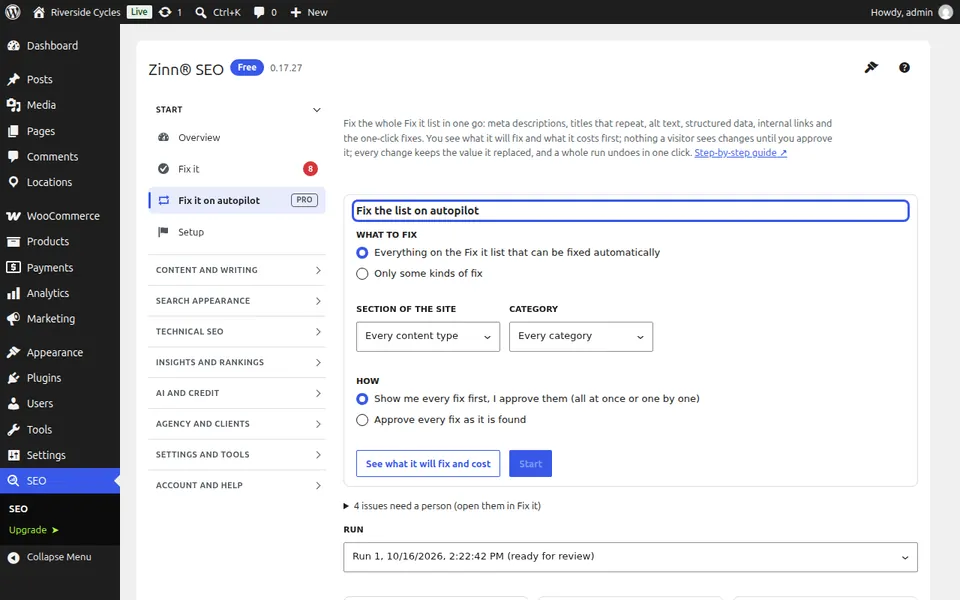
Choose what to fix
Keep Everything on the Fix it list, or choose Only some kinds of fix. Section of the site and Category narrow it further. Pages under the SEO lock, items marked Keep mine and content types left out of SEO checks are never touched. Issues that need a person are listed below the form.
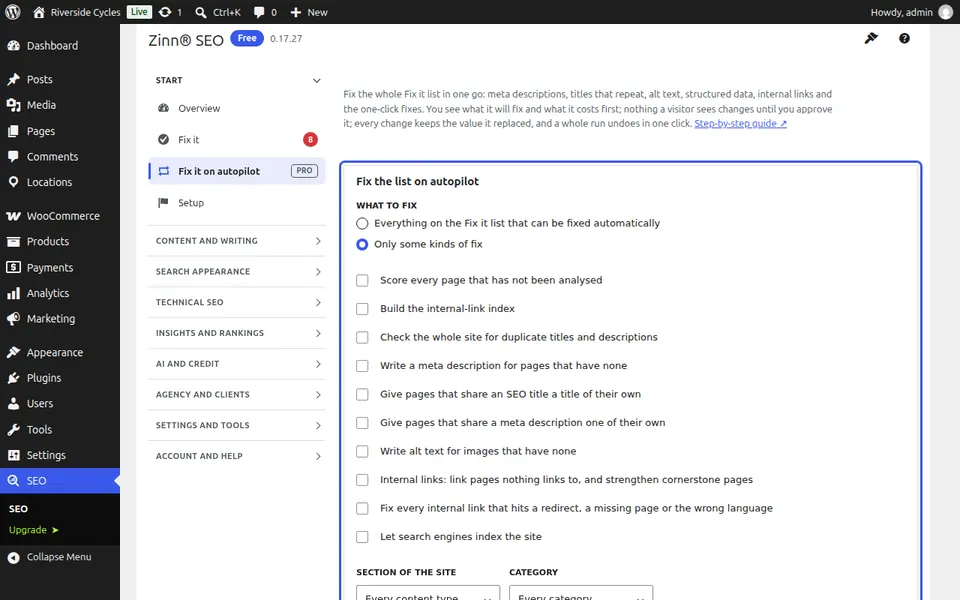
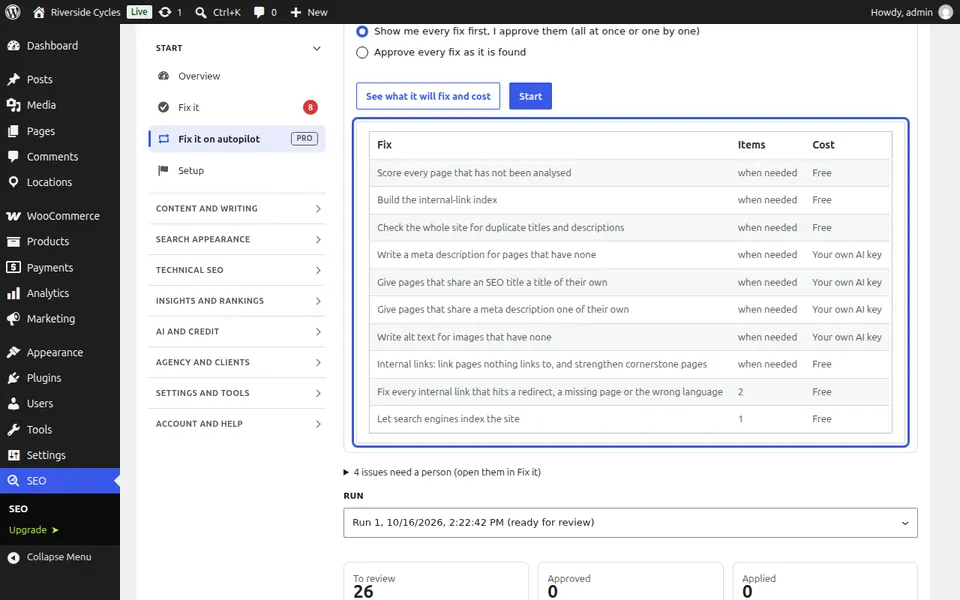
See what it will fix and what it costs
Press See what it will fix and cost: each kind of fix, how many pages or images it changes, and the price on Zinn® credits, about $0.0003 a description or title and $0.0002 an alt text, measured on our own account. Scans and the link plan are free; with your own AI key your provider bills you. Nothing has changed yet.
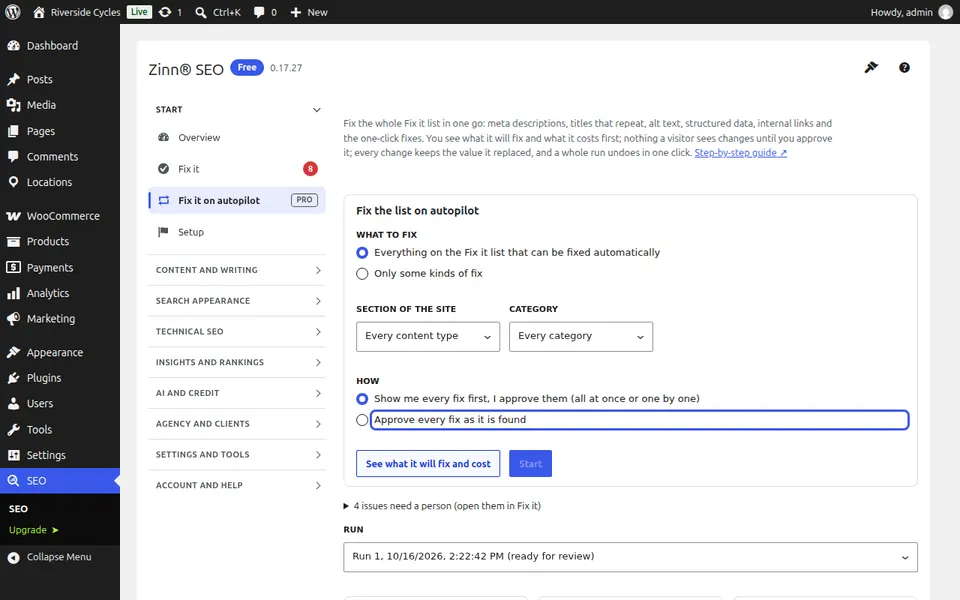
Start, and let it work in the background
Choose Show me every fix first, or Approve every fix as it is found (optionally Apply them straight away), then press Start. It works in the background and you can leave the screen. Pause, Resume and Stop sit under the progress line; when the credit runs out it pauses and carries on after a top-up.
Review the fixes
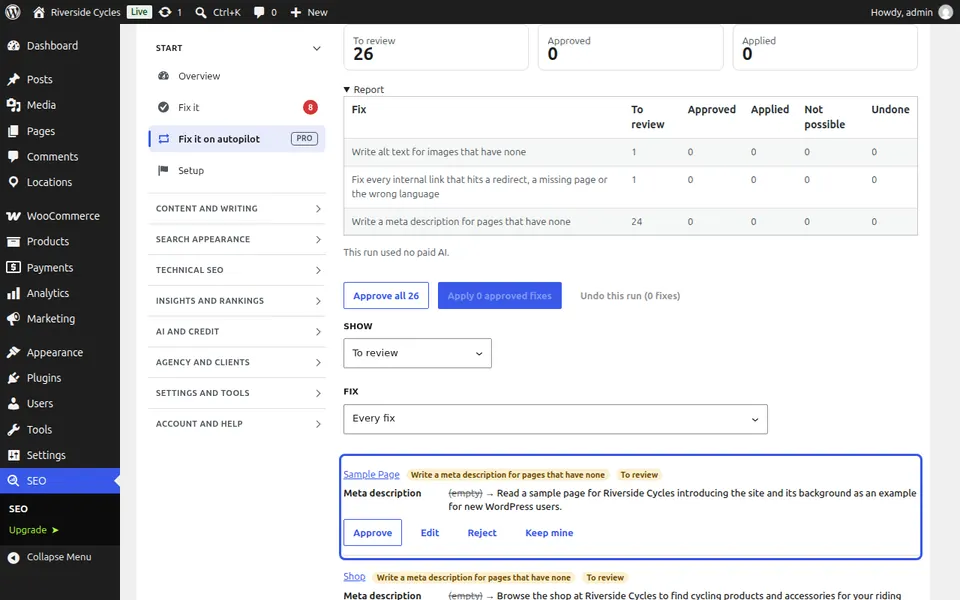
Each fix shows the page or image, its value now and the new one. Approve, Edit, Reject, or Keep mine. Approve all, or Approve all of this kind. Letting search engines index the site is only applied when you approve that fix by itself. Internal links are reviewed on the Link plan screen.
Apply, read the report, undo
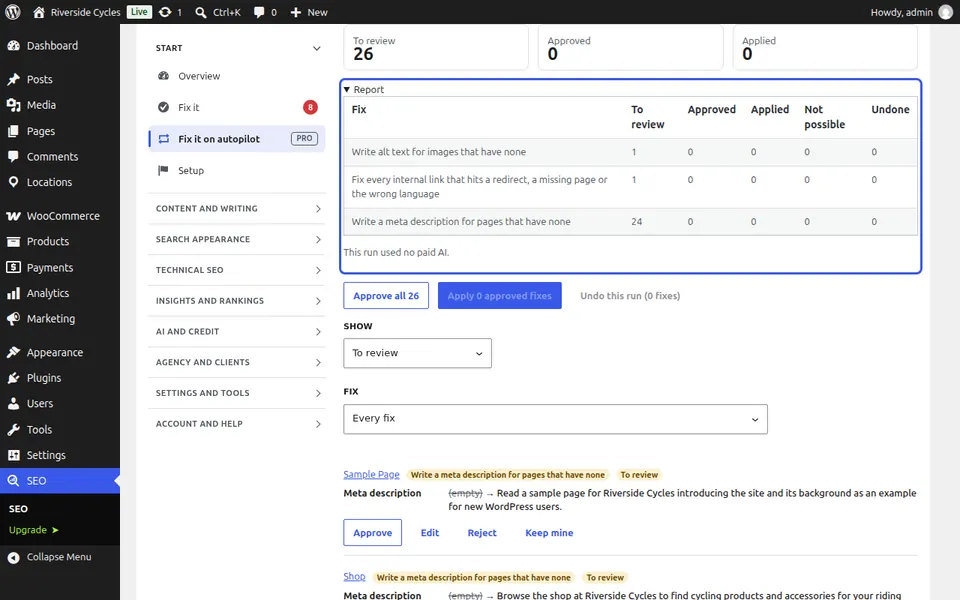
Press Apply. Each fix is checked again first: a page someone changed since keeps their change. The report shows what each kind found, applied and could not apply, and the AI cost. Undo this run puts every value back in one click. Weekly autopilot runs it every week, optionally applies it, and e-mails you a summary.
Next guide: Fix every internal link in one click
From the same team
Want fast hosting to go with it?
Zinn Digital® hosts WordPress on its own servers, with a CDN, DNS, TLS and daily backups included in every plan.