 Zinn® SEO
Run the Zinn® SEO guided setup
The guided setup starts on its own after activation and takes a few minutes. Every step can be skipped.
Zinn® SEO is not released yet. This guide shows how it works today.
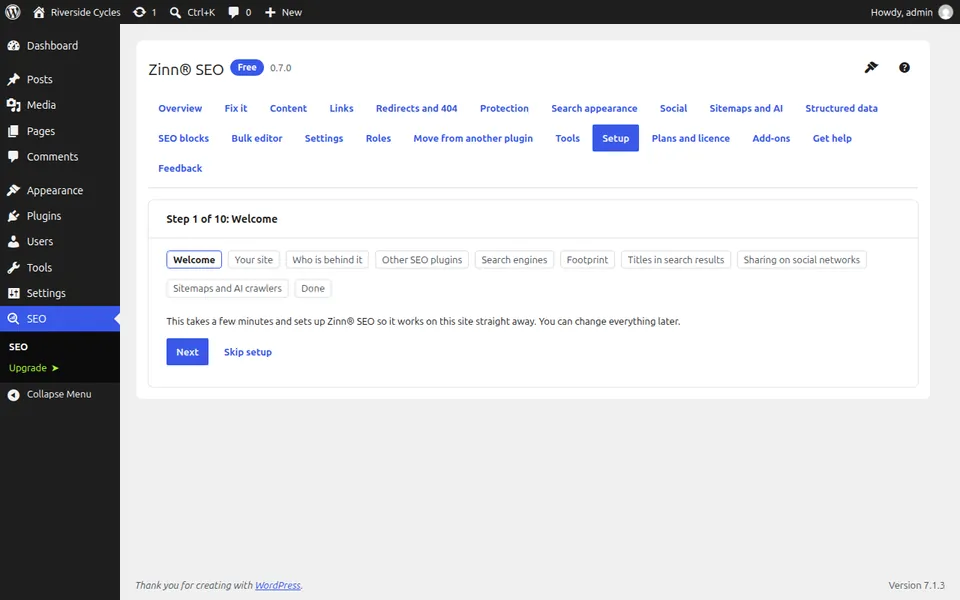
Open SEO in the WordPress menu
After you activate the plugin, open SEO in the admin menu. The guided setup starts on its own.
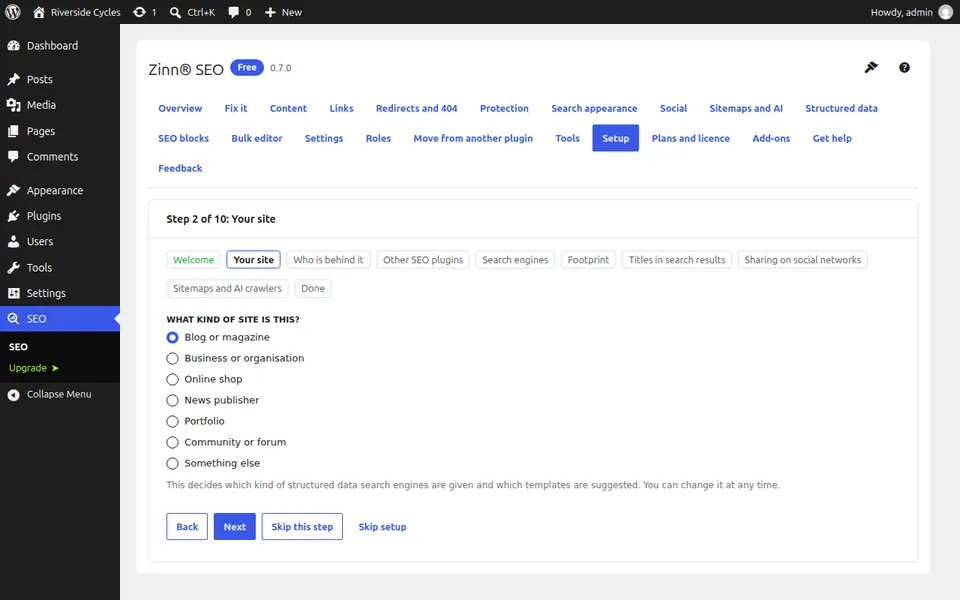
Confirm your site and who is behind it
The steps Your site and Who is behind it set the kind of site and the organisation or person that runs it. The answers feed the site's structured data.
Check other SEO plugins
The Other SEO plugins step tells you if another SEO plugin is active. While one is, Zinn® SEO leaves the page head to it.
Choose your search engine and footprint settings
Search engines is where you add verification codes. Footprint is where you switch no-trace mode on or leave it off.
Finish, or carry on later
You can stop at any step. The setup carries on where you stopped, and Run the setup again reopens any step later.
Next guide: Move from Yoast, Rank Math or another SEO plugin
From the same team
Want fast hosting to go with it?
Zinn Digital® hosts WordPress on its own servers, with a CDN, DNS, TLS and daily backups included in every plan.