 Zinn® SEO
Copy your SEO settings to another site
Set one site up the way you like it, then use the same settings on your other sites.
Zinn® SEO is not released yet. This guide shows how it works today.
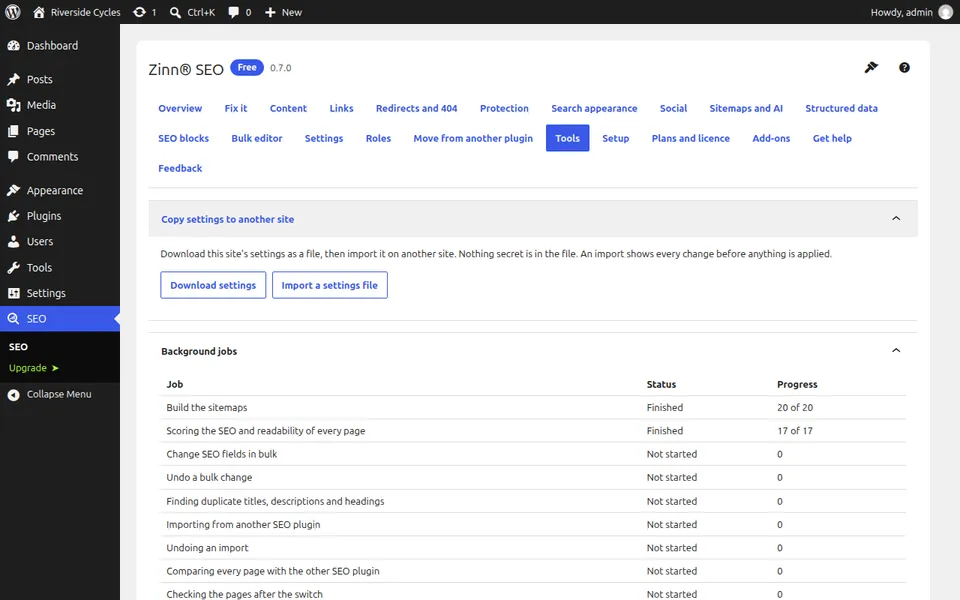
Open Tools
Go to SEO, Tools and find Copy settings to another site.
Download your settings
Press Download settings. You get a small file. Nothing secret is in it.
Import them on the other site
On the other site open the same screen and choose Import a settings file.
Check before you apply
You see every setting that would change before anything is applied.
From the same team
Want fast hosting to go with it?
Zinn Digital® hosts WordPress on its own servers, with a CDN, DNS, TLS and daily backups included in every plan.