 Zinn® SEO
Switch on IndexNow
IndexNow tells Bing, Yandex, Seznam, Naver and other search engines the moment a page is published, changed or removed.
Zinn® SEO is not released yet. This guide shows how it works today.
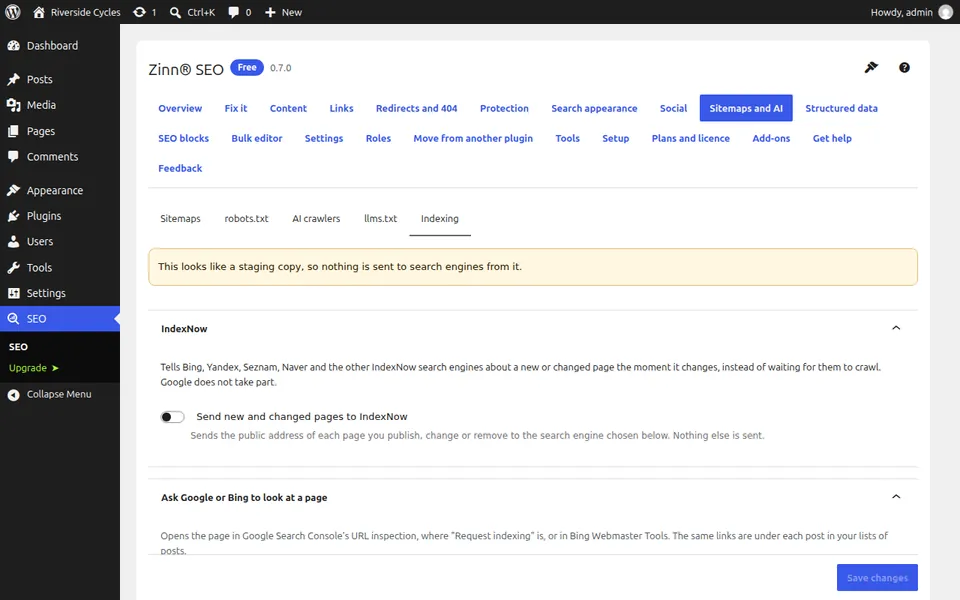
Open the Indexing tab
Go to SEO, Sitemaps and AI, Indexing. IndexNow is off until you switch it on.
Switch it on
The plugin creates the key file the search engines use to confirm the site is yours. There is nothing to copy or paste.
Publish or update a page
The page's public address is sent in the background, in batches, with retries. Nothing about your visitors or users is sent.
Read the log
Recent answers lists what was sent and the reply. Nothing is ever sent from a staging copy or from a site that asks search engines not to index it.
Next guide: Switch on no-trace mode
From the same team
Want fast hosting to go with it?
Zinn Digital® hosts WordPress on its own servers, with a CDN, DNS, TLS and daily backups included in every plan.