 Zinn® SEO
Switch on no-trace mode
No-trace mode hides which SEO plugin the site runs. Every address that changes is listed before you confirm.
Zinn® SEO is not released yet. This guide shows how it works today.
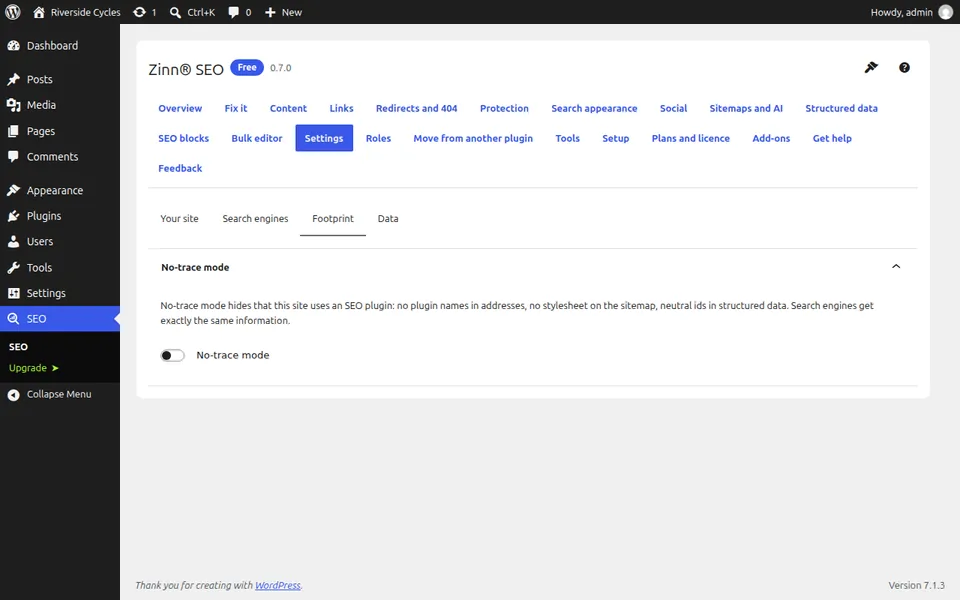
Open the Footprint settings
Go to SEO, Settings, Footprint. The same choice is offered in the guided setup.
Review the addresses that will change
Before anything moves, the screen lists every address that will change, such as the sitemap address.
Confirm
After you confirm, addresses carry no plugin name, the sitemap has no stylesheet and structured data uses neutral ids.
Resubmit the sitemap
If the sitemap address changed, add the new address in Google Search Console and Bing Webmaster Tools.
Next guide: Scan your site for SEO spam
From the same team
Want fast hosting to go with it?
Zinn Digital® hosts WordPress on its own servers, with a CDN, DNS, TLS and daily backups included in every plan.