 Zinn® SEO
Scan your site for SEO spam
Check whether your site has been hacked to show spam to search engines, the kind of damage you would not see yourself.
Zinn® SEO is not released yet. This guide shows how it works today.
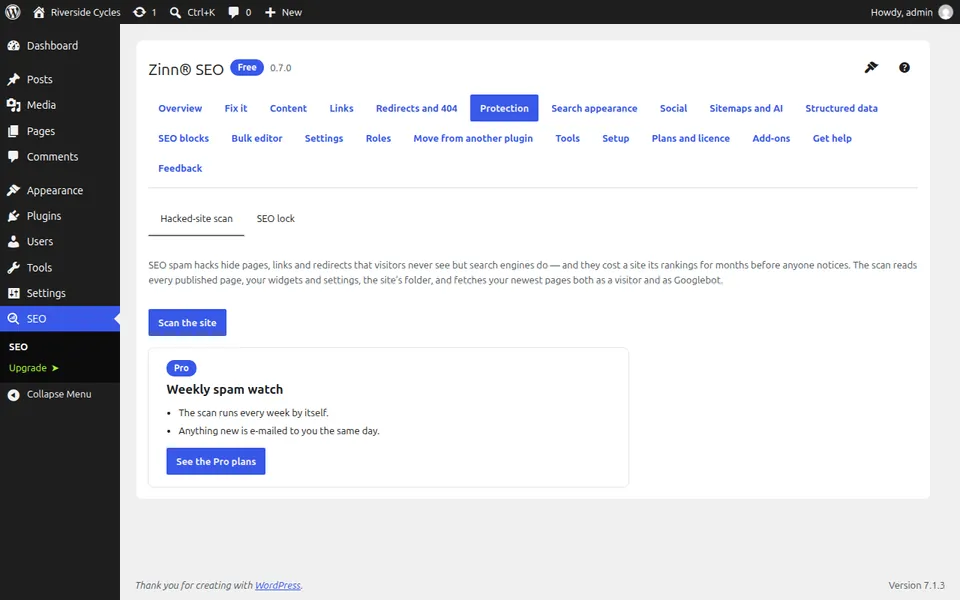
Open Protection
Go to SEO, Protection and stay on the Hacked-site scan tab.
Run the scan
The scan looks for spam pages in languages your site does not use, hidden links, pharmacy and casino spam, unknown scripts and pages that show Google something different from your visitors.
Read what it found
The scan changes nothing. It tells you what it found and where, so you or your developer can clean it up.
Pro: keep watch and lock key pages
With Pro the scan runs every week and e-mails you anything new, and the SEO lock tab protects chosen pages from accidental changes to their address or search settings.
Next guide: Give a colleague SEO access
From the same team
Want fast hosting to go with it?
Zinn Digital® hosts WordPress on its own servers, with a CDN, DNS, TLS and daily backups included in every plan.