 Zinn® SEO
llms.txt for WordPress: publish yours for AI assistants
llms.txt gives AI assistants a short, curated map of your most important pages.
Zinn® SEO is not released yet. This guide shows how it works today.
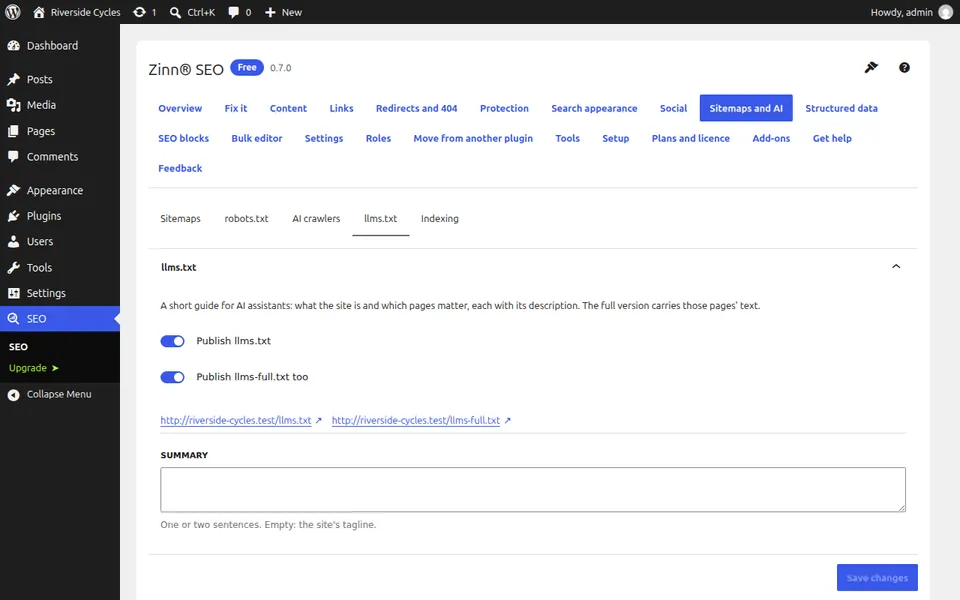
Open the llms.txt tab
Go to SEO, Sitemaps and AI, llms.txt and tick Publish llms.txt. Tick Publish llms-full.txt too if you want the longer version.
Choose what it lists
Write a summary, list your key pages in order and choose how many of the newest posts to add. The Preview shows the file before it is published.
Open the files
llms.txt is at /llms.txt and the longer version at /llms-full.txt. Both update when your content changes.
With Tranzly, check each language
If the Tranzly translation plugin is active, each language has its own llms.txt at its own address, and the root file lists the languages.
Next guide: Switch on IndexNow
From the same team
Want fast hosting to go with it?
Zinn Digital® hosts WordPress on its own servers, with a CDN, DNS, TLS and daily backups included in every plan.