 Zinn® SEO
Find orphan pages and add internal links
Use the link index to find pages nothing links to, and the editor's suggestions to link them.
Zinn® SEO is not released yet. This guide shows how it works today.
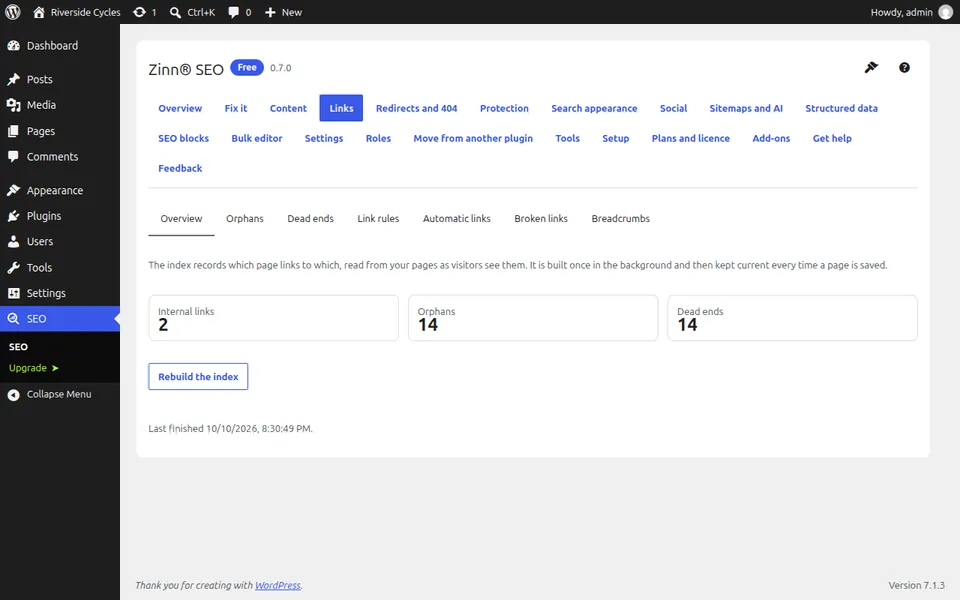
Open Links
Go to SEO, Links. The Overview tab shows how many links each page receives and gives.
Look at the Orphans tab
Orphans are pages that no other page links to. Search engines and visitors both struggle to find them.
Look at the Dead ends tab
Dead ends are pages that link to nothing else on your site, so a visitor has nowhere to go next.
Add links from the editor
Open a related post. The SEO sidebar suggests pages from your own site to link to, and inserts a link in one click.
Set link rules if you need them
The Link rules tab adds nofollow, sponsored or new-tab attributes to links by site, applied as pages are shown.
Next guide: Redirect a page in WordPress and fix 404 errors
From the same team
Want fast hosting to go with it?
Zinn Digital® hosts WordPress on its own servers, with a CDN, DNS, TLS and daily backups included in every plan.