 Zinn® SEO
Schema markup in WordPress: check a page's structured data
Validate any page against schema.org and Google's rich result rules on your own site.
Zinn® SEO is not released yet. This guide shows how it works today.
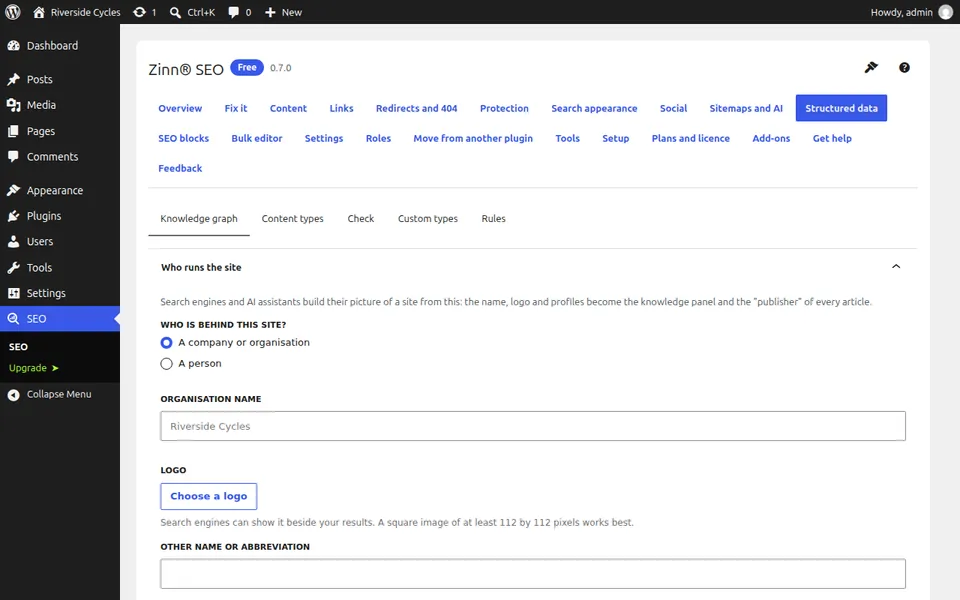
Open Structured data
Go to SEO, Structured data. The Knowledge graph tab holds who runs the site, and Content types sets the type each kind of page gets.
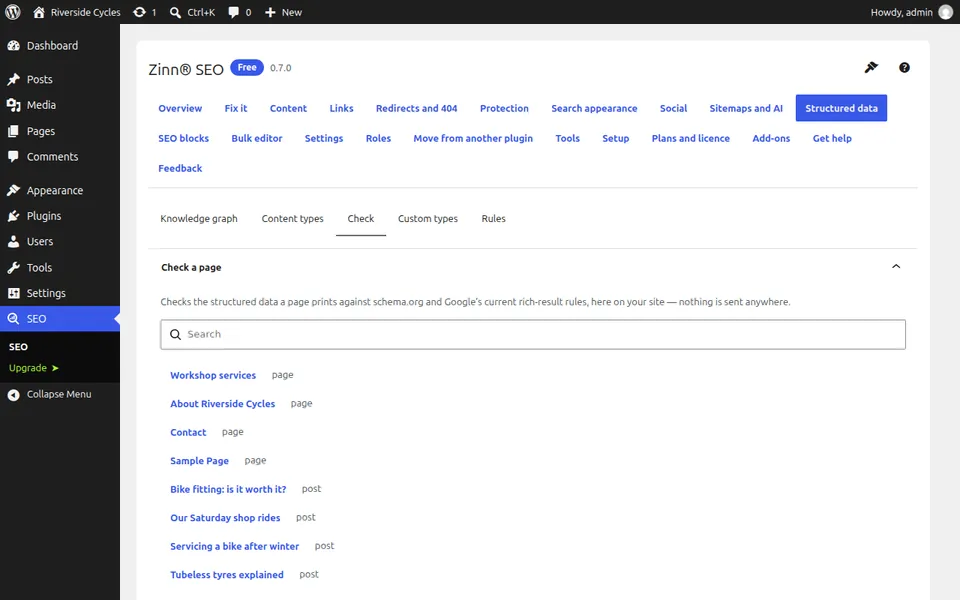
Open the Check tab
On the Check tab, use Find a page to pick any page on your site, or paste structured data to check it. The check runs on your own server with no outside service.
Read the result
The check lists errors and warnings against schema.org and Google's current rules, and tells you if a rich result type is one Google no longer shows.
Fix and check again
Correct the content or the block that produced the problem, then run the check again. The same check is available in the editor and in WP-CLI.
Next guide: Set the image and text for social sharing
From the same team
Want fast hosting to go with it?
Zinn Digital® hosts WordPress on its own servers, with a CDN, DNS, TLS and daily backups included in every plan.