 Zinn® SEO
Set your WordPress SEO title and meta description
Templates give every page a good title and description without editing each one.
Zinn® SEO is not released yet. This guide shows how it works today.
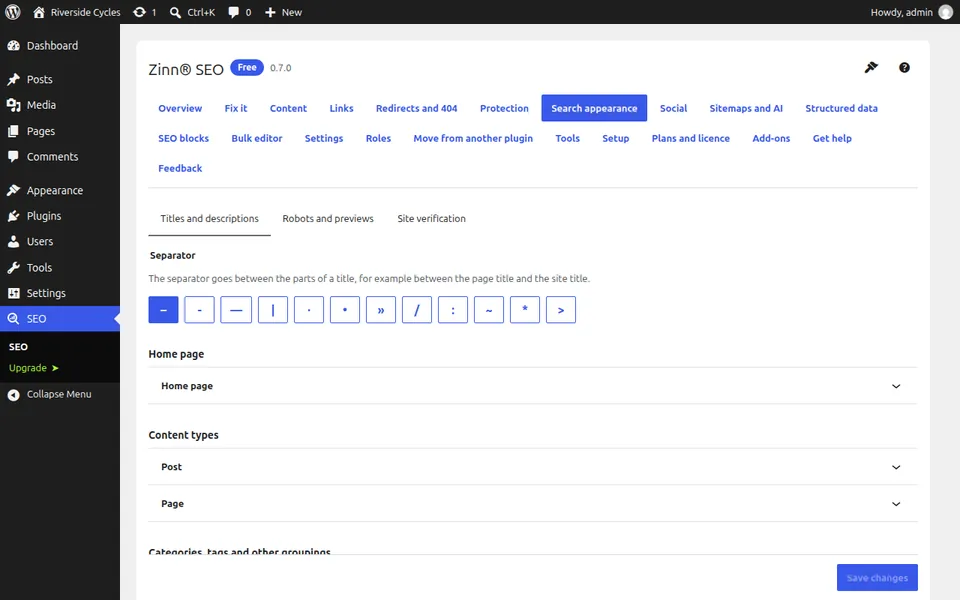
Open Search appearance
Go to SEO, Search appearance and stay on the Titles and descriptions tab.
Pick a content type
Each content type, taxonomy and archive has its own template. Choose the one you want to change.
Write the template with variables
Type the title and description and insert variables such as %title%, %sitename% and %category%. Custom fields and taxonomies can be used as variables too.
Check the live preview
The preview shows the template on a real page of your site and marks text that is longer than search engines display.
Override a single page when you need to
In the editor, the SEO panel lets one post, page or term set its own title, description, canonical address and robots directives.
Next guide: Use a focus phrase and the content analysis
From the same team
Want fast hosting to go with it?
Zinn Digital® hosts WordPress on its own servers, with a CDN, DNS, TLS and daily backups included in every plan.