 Zinn® SEO
Give a colleague SEO access
Let someone look after your SEO without making them an administrator.
Zinn® SEO is not released yet. This guide shows how it works today.
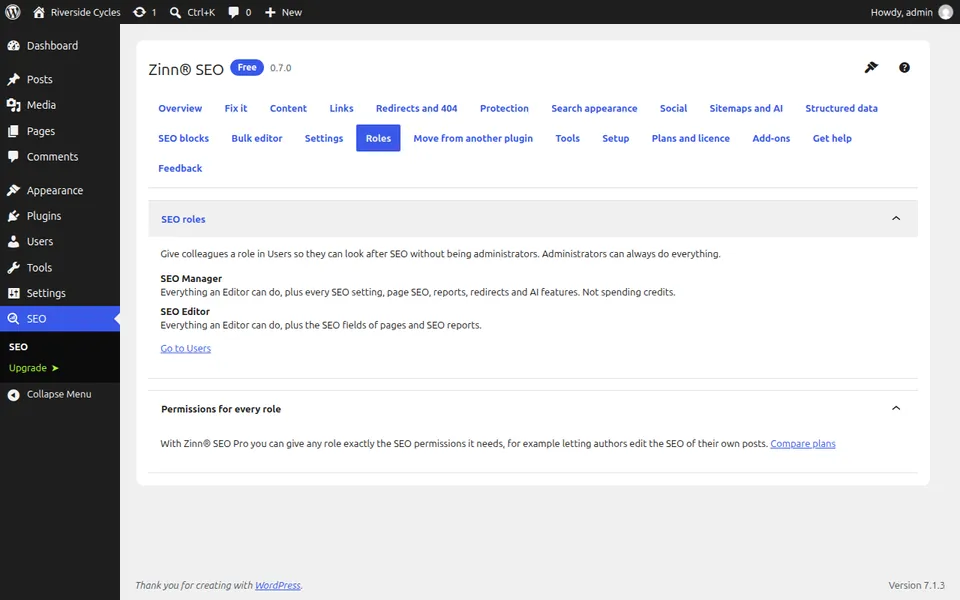
Open Roles
Go to SEO, Roles. Zinn® SEO adds two roles: SEO Manager and SEO Editor.
Pick the right role
An SEO Manager can change the SEO settings of the whole site. An SEO Editor can only edit the SEO details of pages.
Give the role to a user
In WordPress go to Users, edit the person and choose the role.
Pro: fine control
With Pro you can give any role exactly the SEO permissions it needs.
Next guide: Copy your SEO settings to another site
From the same team
Want fast hosting to go with it?
Zinn Digital® hosts WordPress on its own servers, with a CDN, DNS, TLS and daily backups included in every plan.