 Zinn® SEO
Edit SEO titles and descriptions in bulk
Change SEO fields for many posts in one table, or apply one change to every matching page, with undo.
Zinn® SEO is not released yet. This guide shows how it works today.
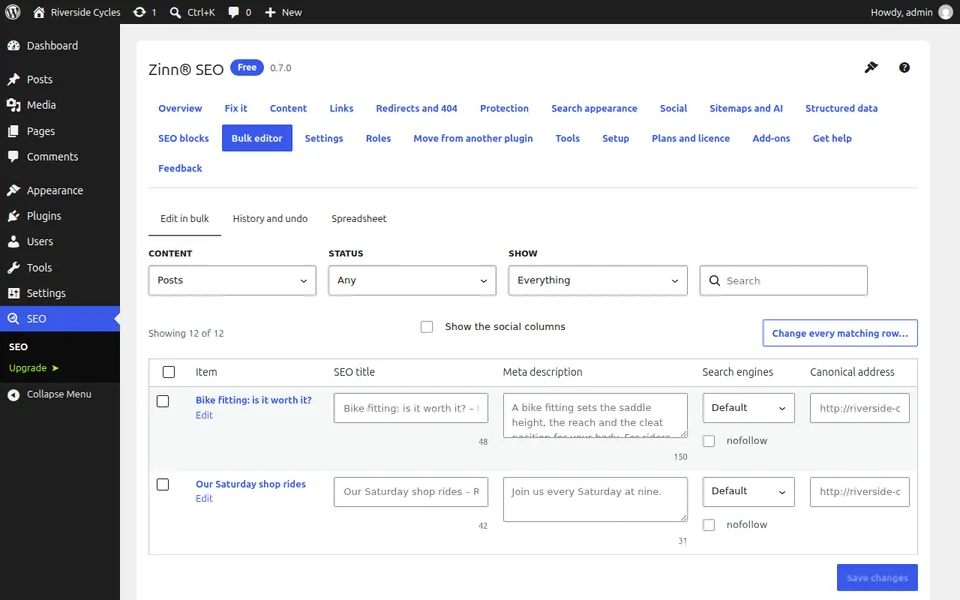
Open the Bulk editor
Go to SEO, Bulk editor. The Edit in bulk tab lists posts and terms with their SEO title, meta description, search engine setting and canonical address.
Filter to the pages you want
Filter by content type and status, or choose No description of its own to see only pages that still use the template.
Edit in the table
Type straight into a row and save. Each field shows the length search engines display.
Apply one change to every match
To change all matching pages at once, set the change and apply it. It runs in the background, however many pages match.
Undo from the history
The History and undo tab lists every bulk change. Undo restores the earlier values but leaves alone any field edited since.
Next guide: Find orphan pages and add internal links
From the same team
Want fast hosting to go with it?
Zinn Digital® hosts WordPress on its own servers, with a CDN, DNS, TLS and daily backups included in every plan.