 Zinn® SEO
See and fix every outbound link
See every site your pages link to in Zinn® SEO Pro, check which ones are live, redirecting, broken, spam or expired, and change or remove one link or every link to a site, reviewed first and undone in one click.
Build the report
In WordPress, open SEO, Links, then the Outbound links tab, and press Build the report. Every published page is read once in the background, so you can leave the screen. After that the report stays up to date each time a page is saved.
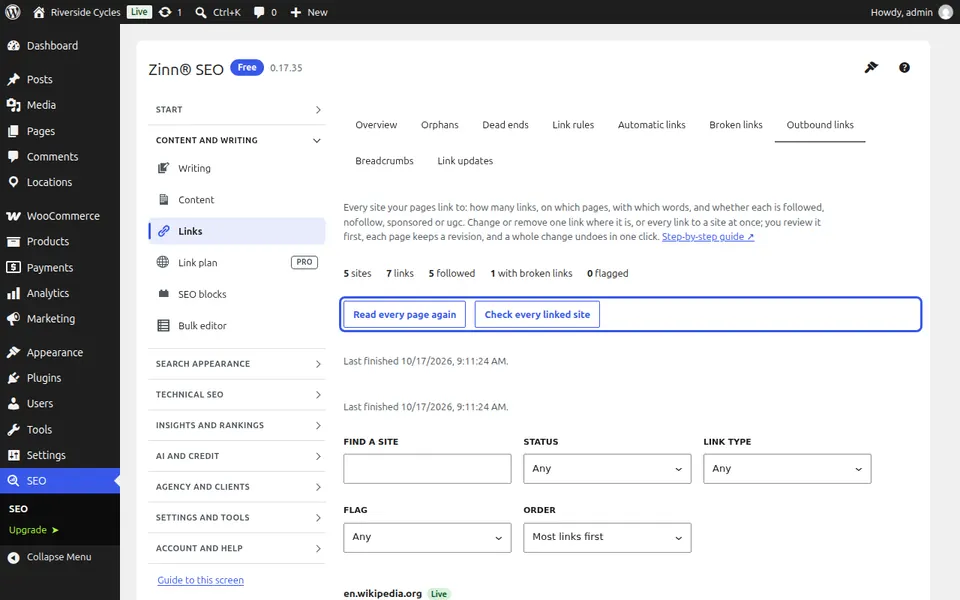
Find a site
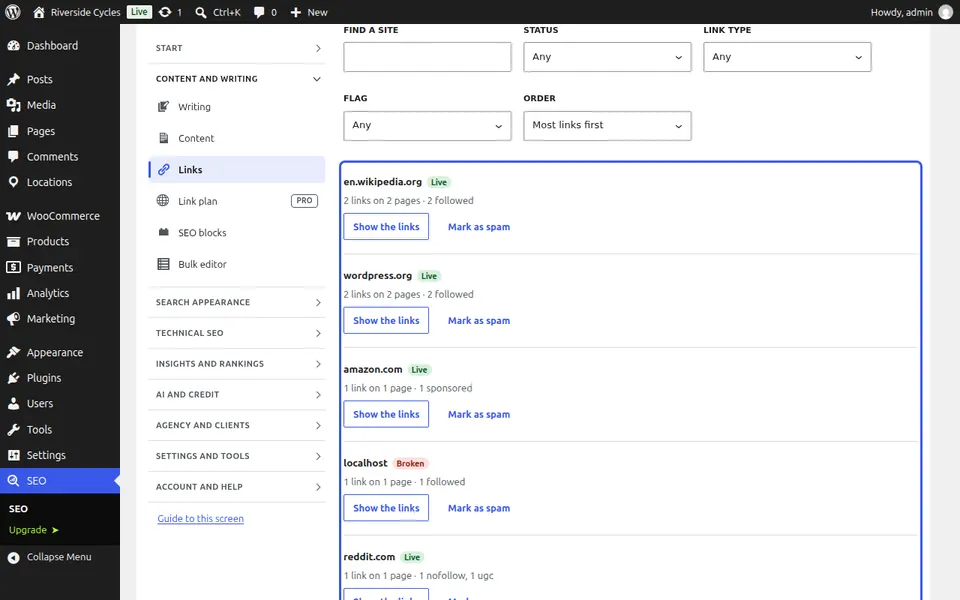
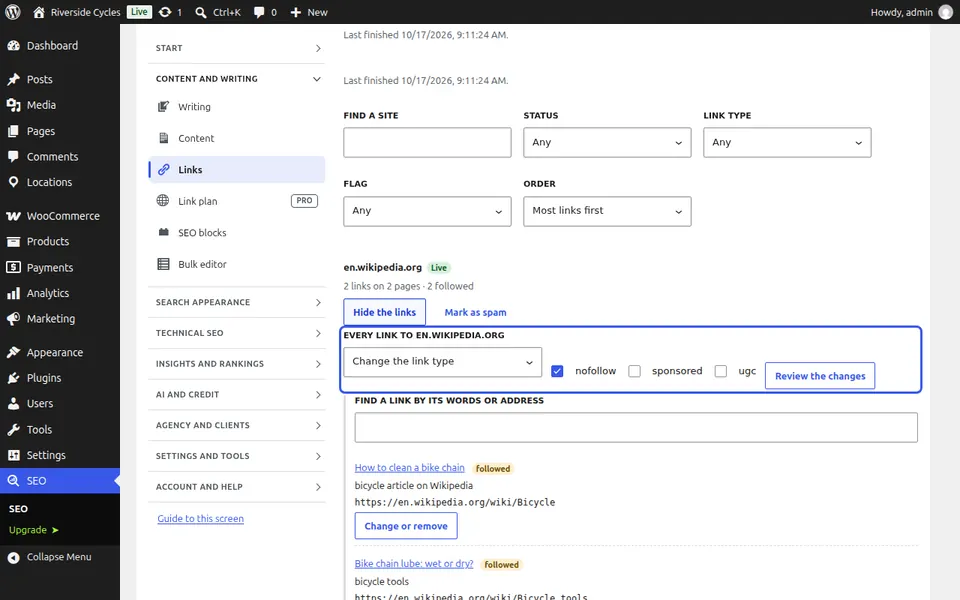
Every site your pages link to is listed, the one with the most links first, with how many links it has, on how many pages, and how many are followed, nofollow, sponsored or ugc. Type part of a name under Find a site, or filter by status, link type or flag.
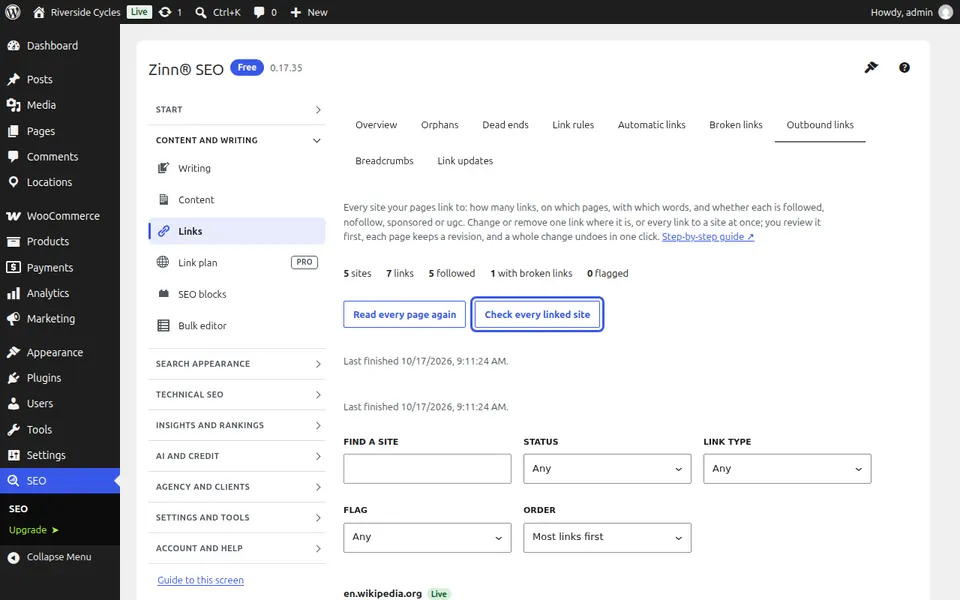
Check every linked site
Press Check every linked site. Each site is asked once whether it is live, sends visitors somewhere else (and where), is broken or refuses checks. A domain that no longer exists or is parked for sale is flagged as expired, and a site whose name or link words read like spam is flagged too. If the weekly broken link check is on, it also counts each site's broken links.
Change or remove one link
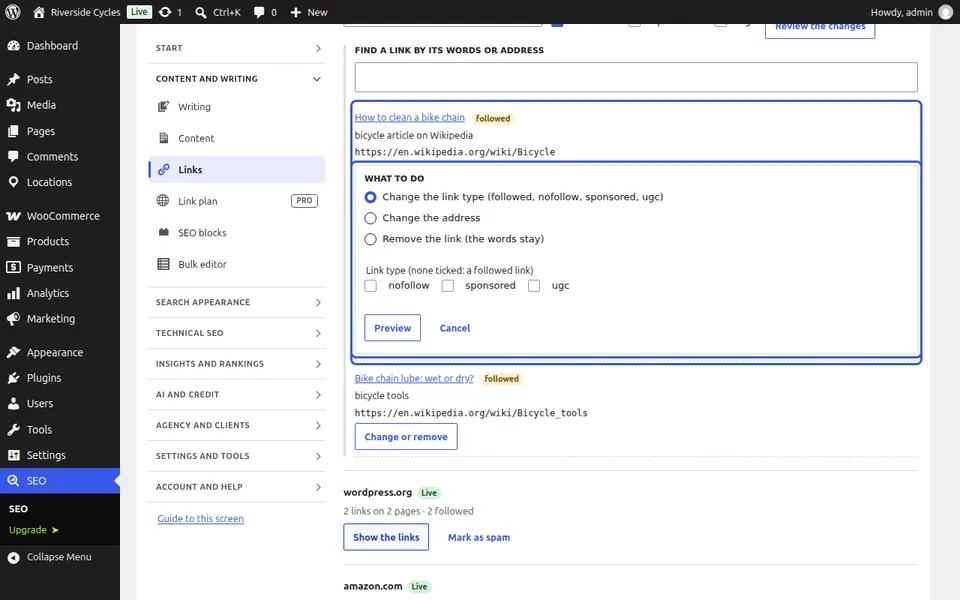
Press Show the links on a site, then Change or remove on a link. Choose the link type, a new address, or Remove the link (the words stay), and press Preview to see the link before and after. Apply this change saves it, the page keeps a revision, and See the change or undo it lets you undo it in one click.
Change every link to a site
Under a site's links, choose Change the link type or Remove the links, then Review the changes. Nothing changes until you approve. Apply then changes each page in one save, pages with the SEO lock are left alone, and Undo this run puts every page back as it was.
Next guide: Choose your Zinn® SEO settings
From the same team
Want fast hosting to go with it?
Zinn Digital® hosts WordPress on its own servers, with a CDN, DNS, TLS and daily backups included in every plan.