 Zinn® SEO
Fill FAQs and structured data with AI
Let AI write FAQs, how-to steps, product details and article summaries from each page's own text, for thousands of pages, checked, reviewed by you and undone in one click.
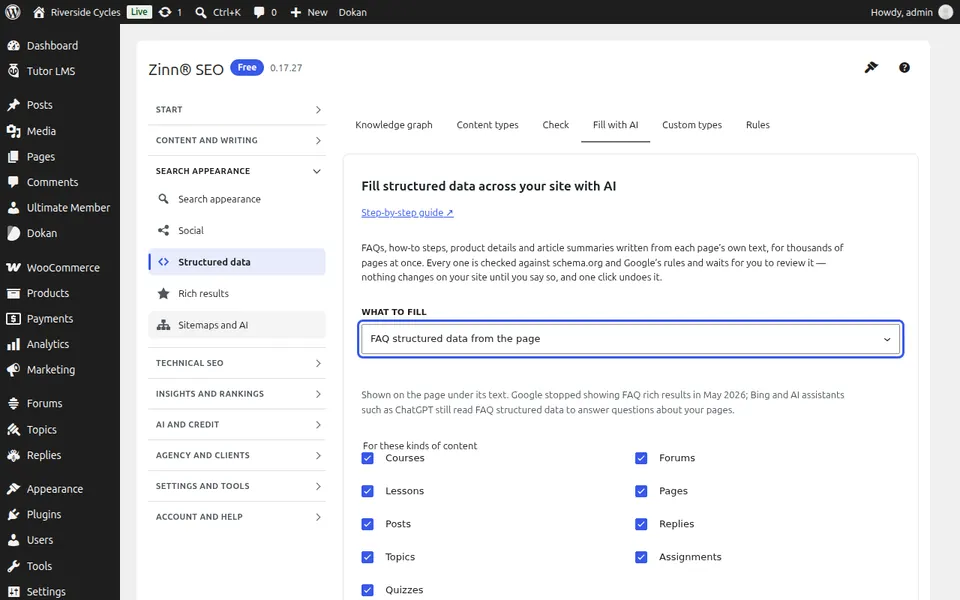
Choose what to fill
Go to SEO, Structured data, Fill with AI. Under What to fill, choose FAQ, How-to steps, Product details (WooCommerce products) or Article details, and the kinds of content. Keep Only pages that do not have it yet on to skip pages that already have one.
See the cost first
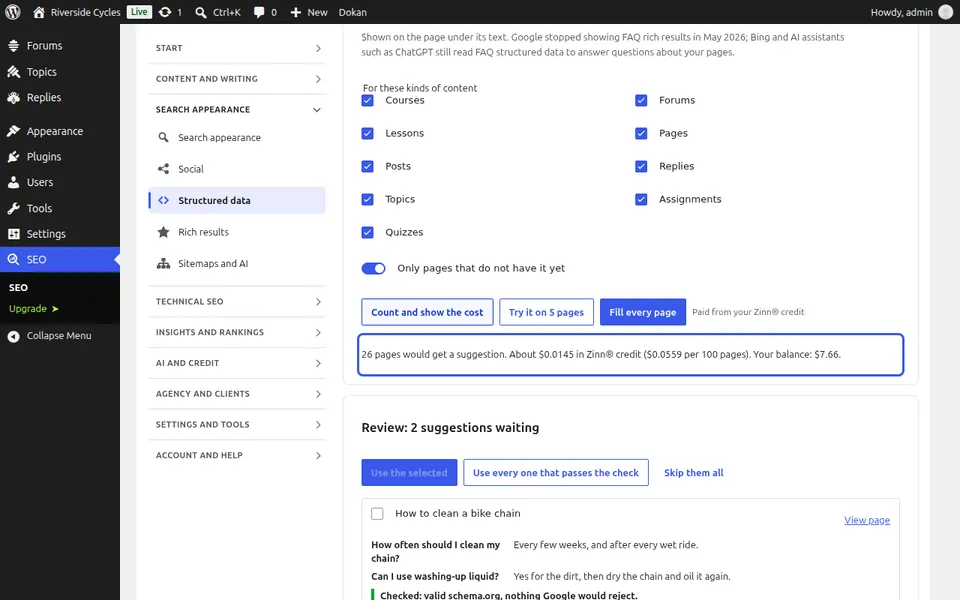
Select Count and show the cost. You see how many pages would get a suggestion and, on Zinn® credits, the price per 100 pages and your balance, before anything is spent. Measured on our own account in October 2026, 100 pages cost about $0.06 for FAQs or how-to steps, $0.04 for article details and $0.02 for product details. If your credit will not cover it, Buy credits is right there. With your own AI key, your provider bills you directly.
Try a few, then fill every page
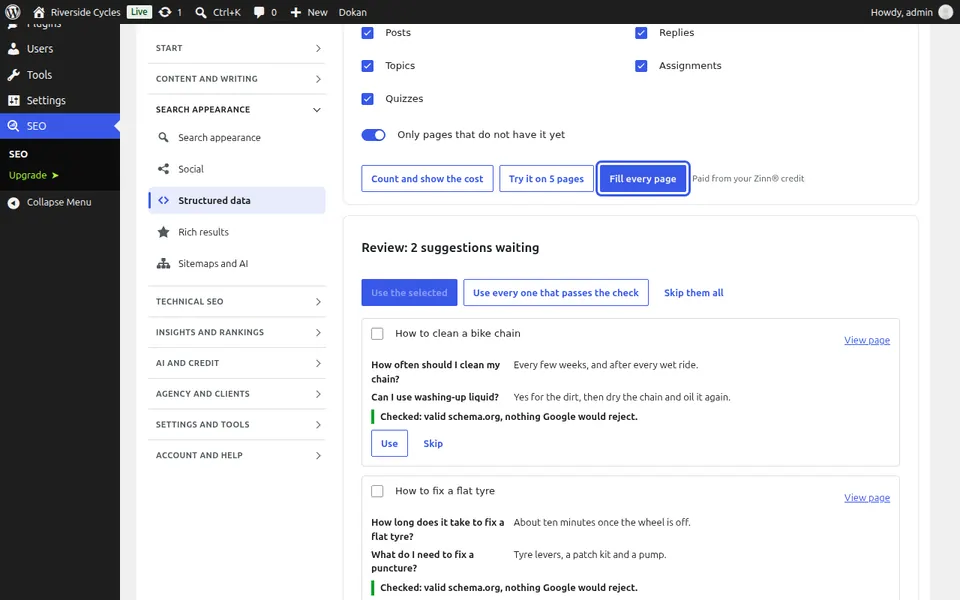
Select Try it on 5 pages to see what you get. Then select Fill every page. It runs in the background, several pages at a time, and stops safely if your credit runs out; it carries on by itself after a top-up. Pages that already have an FAQ of their own, or too little text, are left alone and cost nothing.
Review and use
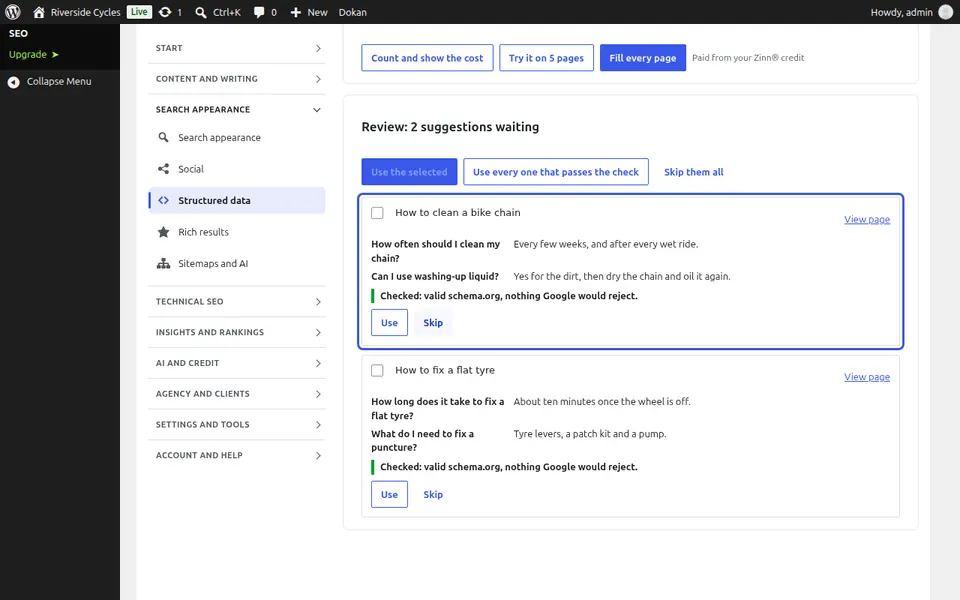
Each suggestion waits under Review with the values it would add and its check against schema.org and Google's rules. Select Use or Skip for each, tick several and select Use the selected, or Use every one that passes the check. Nothing on your site changes until you do.
Where it shows, and undo
A used FAQ or how-to shows on the page under its text, as Google requires, and joins the page's structured data; product and article details are added to the product's or article's structured data. Check any page under Structured data, Check. Undo a whole batch from the Undo button, or from Bulk editor, History and undo.
Next guide: Redirect missing pages with AI (Pro)
From the same team
Want fast hosting to go with it?
Zinn Digital® hosts WordPress on its own servers, with a CDN, DNS, TLS and daily backups included in every plan.