 Zinn® SEO
Manage affiliate links
Give each affiliate link a short address on your site (/go/name) that is marked sponsored for search engines, count clicks without tracking visitors, see which posts use each link and find offers that stopped working. This is part of Zinn® SEO Pro.
Add a link
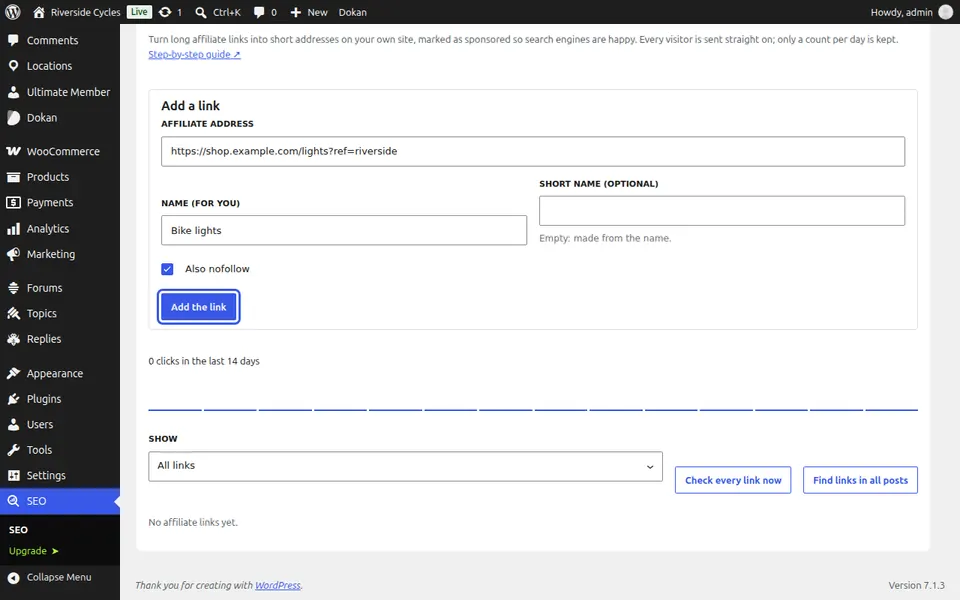
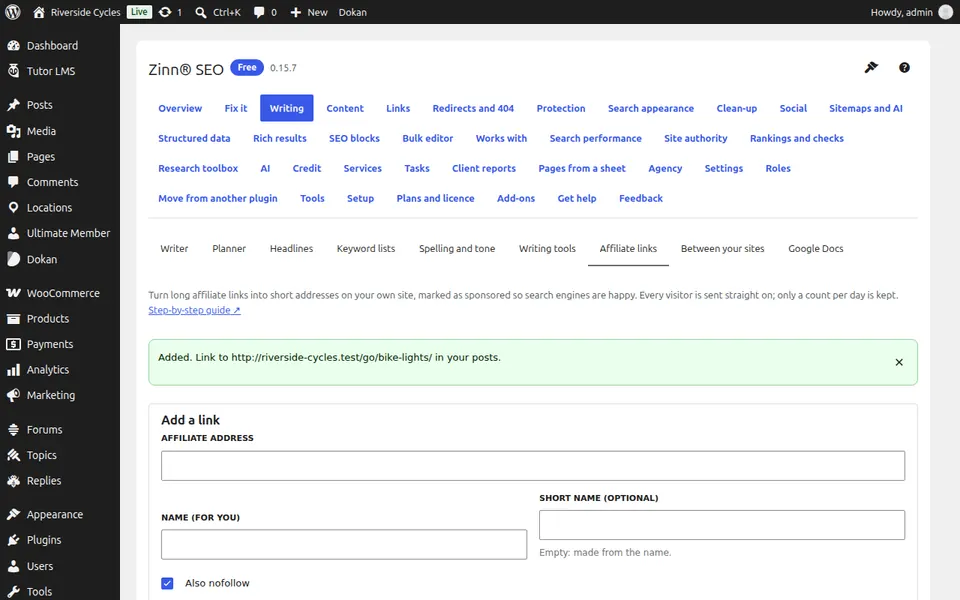
Go to SEO, Writing, Affiliate links and press Add a link. Paste the Affiliate address, give it a name and press Add the link.
Use it in posts
Link to the short address in your posts. Every link to it gets rel="sponsored" (and nofollow if chosen), and search engines are kept out of /go/.
See clicks and posts
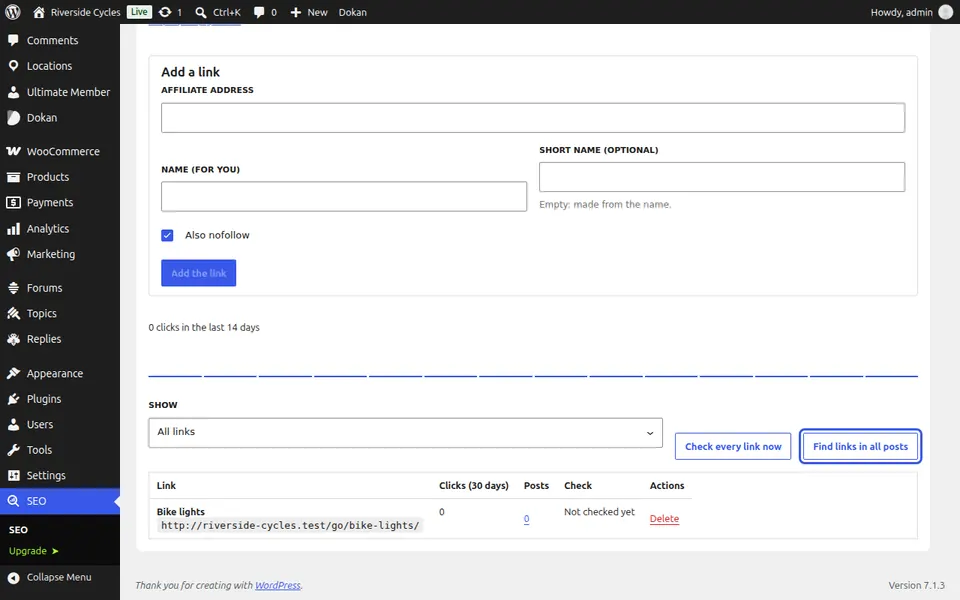
The list shows clicks over 30 days and the posts that use each link; Find links in all posts reads your whole site.
Find broken offers
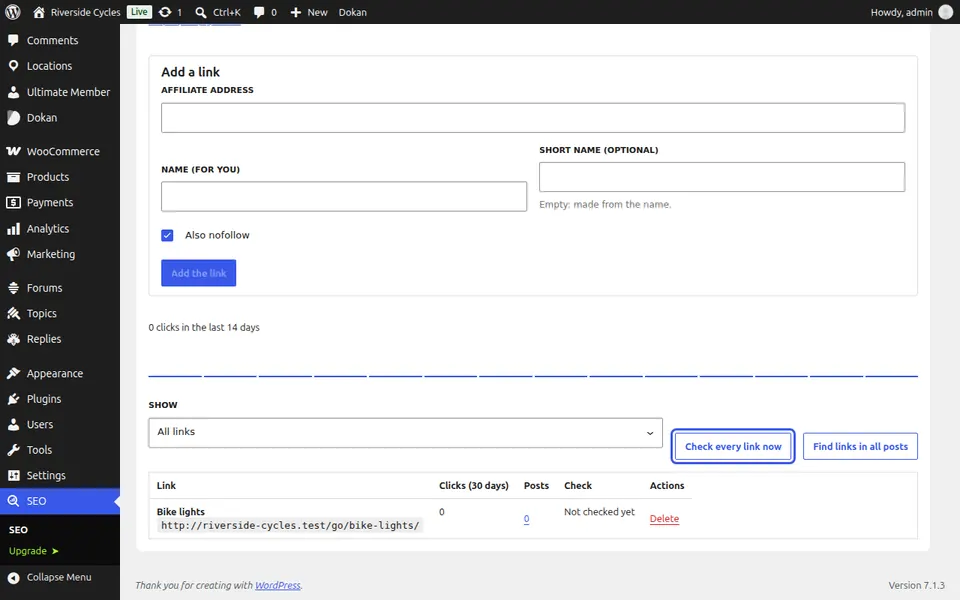
Press Check every link now. Links whose page is gone show as Broken.
Next guide: Link between your own sites
From the same team
Want fast hosting to go with it?
Zinn Digital® hosts WordPress on its own servers, with a CDN, DNS, TLS and daily backups included in every plan.