 Zinn® SEO
Use Surfer, Clearscope or Frase guidelines in WordPress
Bring the length, headings and terms from your own writing tool into the editor and see each term counted as you write. Surfer and Frase connect with your own API key; Clearscope, MarketMuse, Semrush and others by pasting their export. This is part of Zinn® SEO Pro.
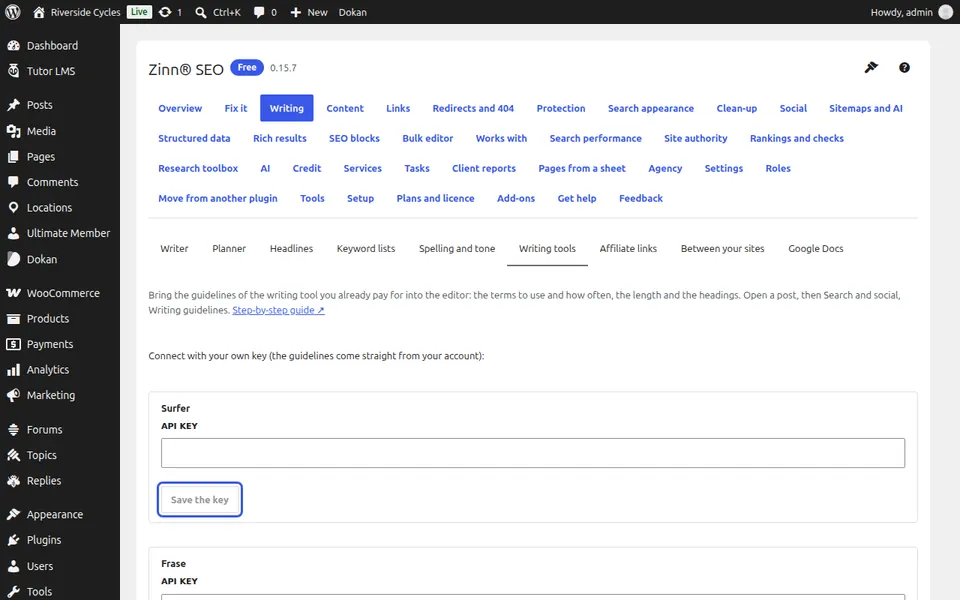
Add your key
Go to SEO, Writing, Writing tools. For Surfer or Frase paste your API key and press Save the key.
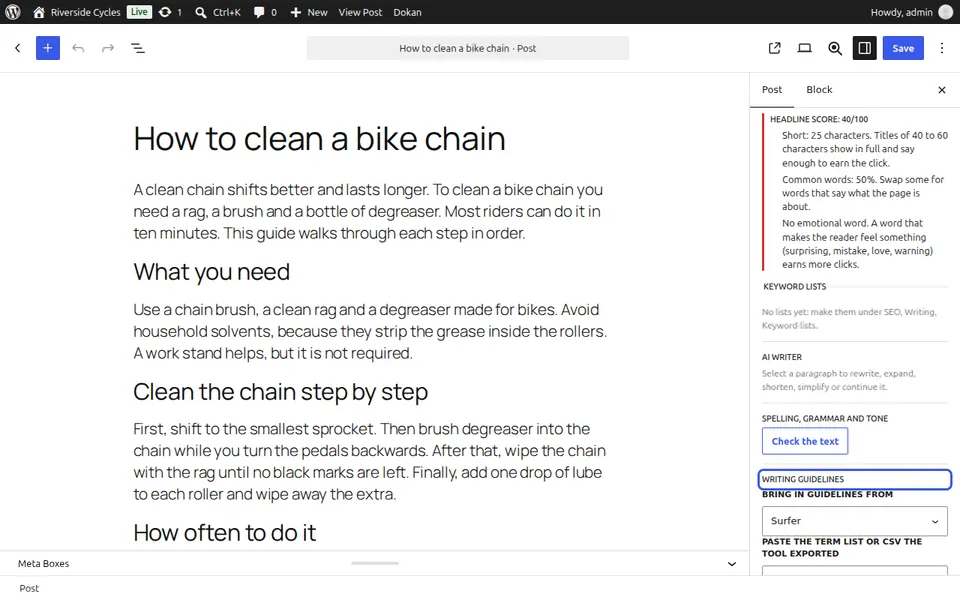
Bring in guidelines
In the editor, open Writing help, Writing guidelines. Choose the tool under Bring in guidelines from, paste the Content Editor's address (Surfer), the search (Frase) or the tool's export, and press Bring them in.
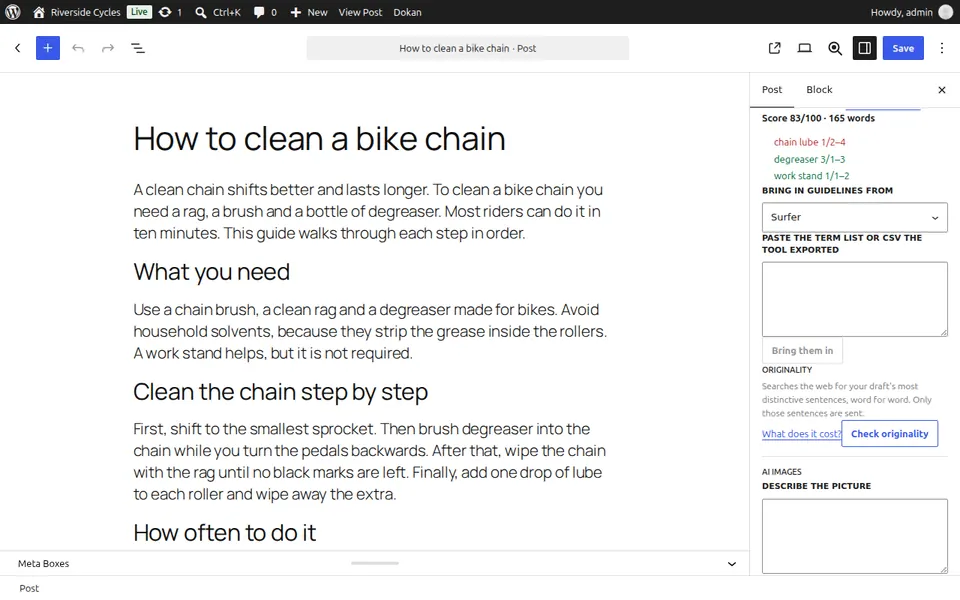
Write to them
The words, headings and every term show how many times the draft uses them against the range the tool suggests.
Next guide: Check a draft for copied text
From the same team
Want fast hosting to go with it?
Zinn Digital® hosts WordPress on its own servers, with a CDN, DNS, TLS and daily backups included in every plan.