 Zinn® SEO
Clean up what WordPress adds to every page
Remove the extra links, feeds and address variations WordPress makes, so search engines spend their time on your real pages.
Open Clean-up
Go to SEO, Clean-up. The Head and feeds tab lists each extra line WordPress adds to your pages and shows whether it is on your home page now.
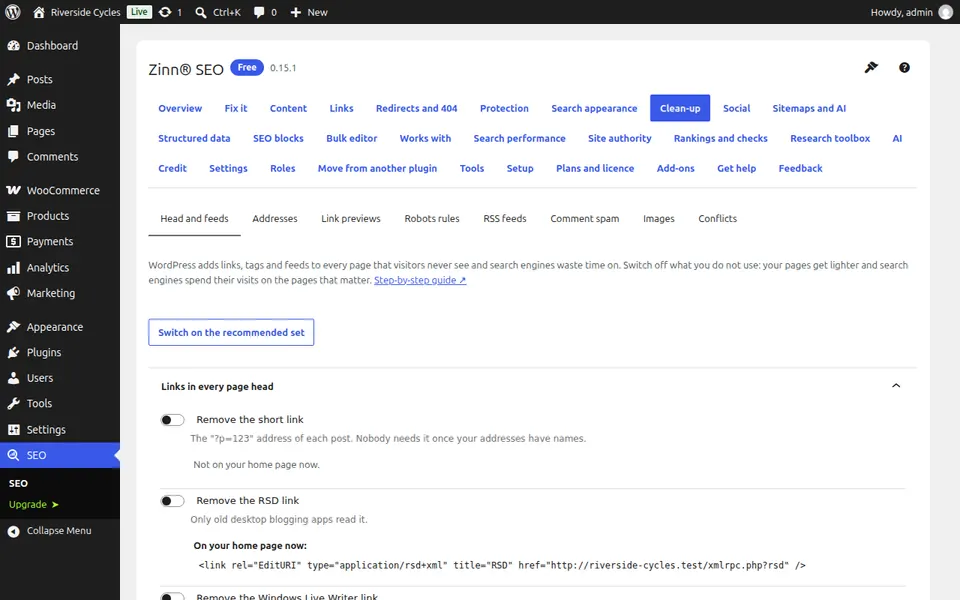
Switch off the lines you do not need
Short links, software version tags and links for old blogging apps help nobody. Switch them off one by one, or press Switch on the recommended set, then Save changes.
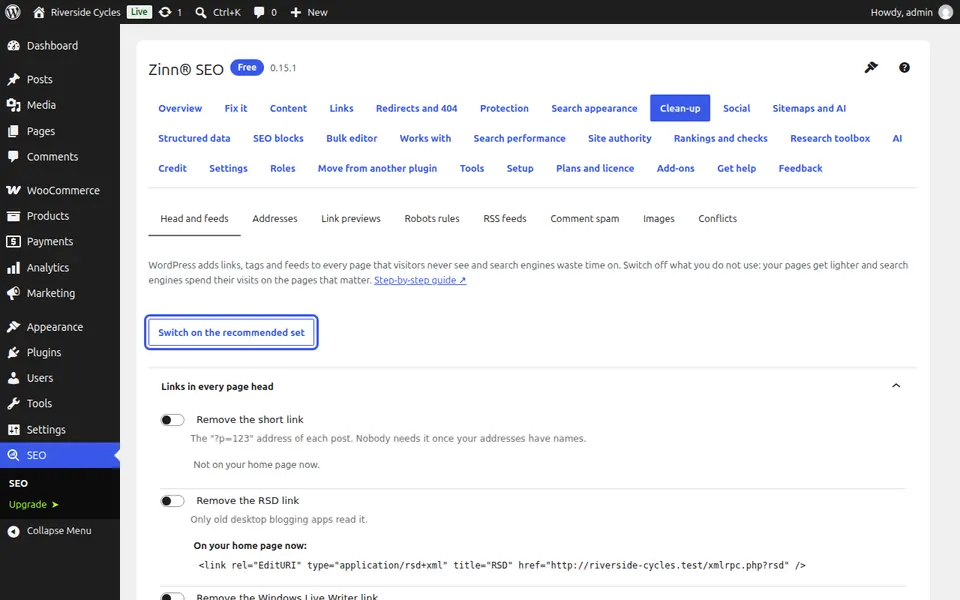
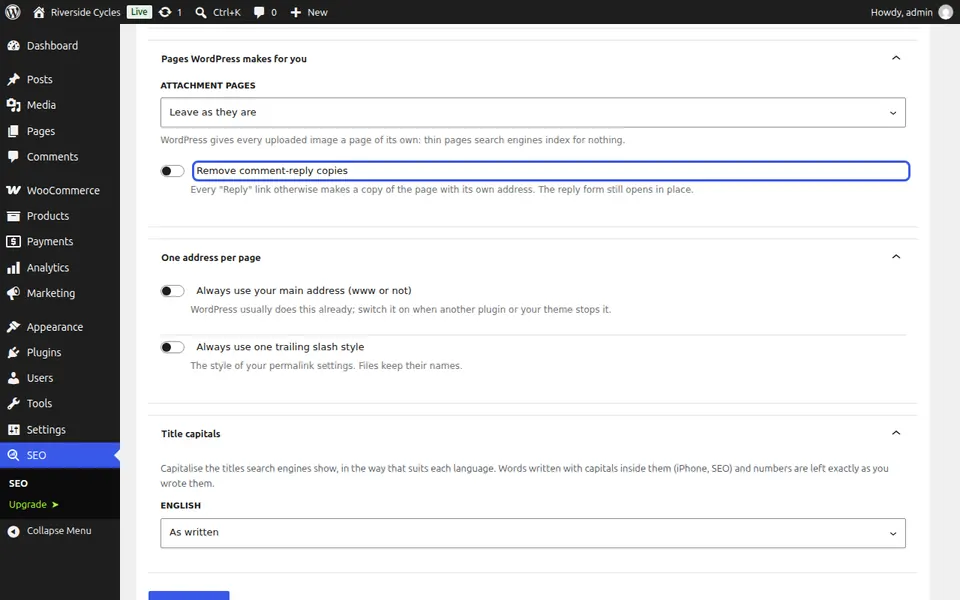
Tidy your addresses
On the Addresses tab, switch on Remove unknown parameters from addresses and Remove comment-reply copies, and drop /category/ from category addresses if you want. Old addresses keep working: they redirect.
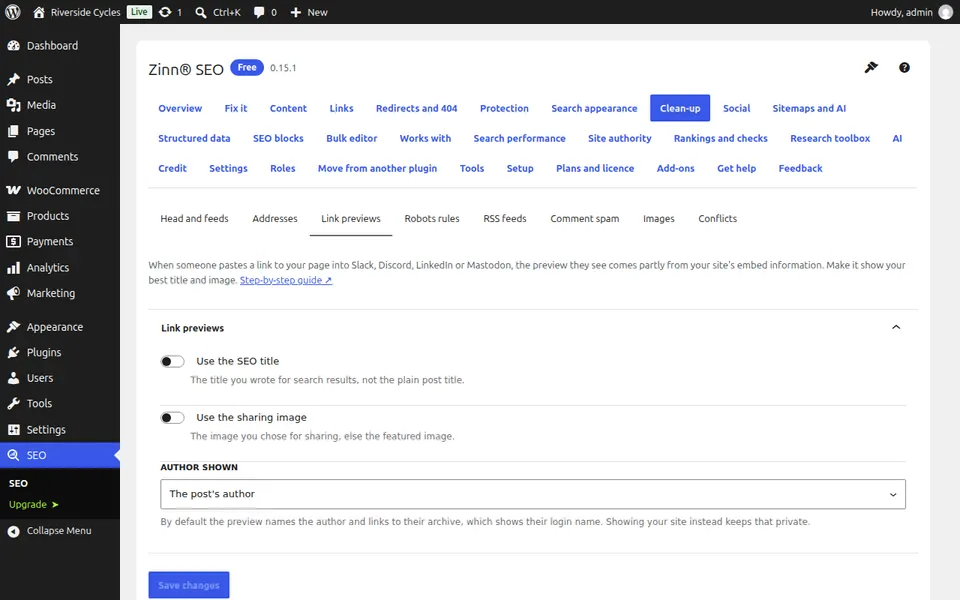
Choose how your links look when shared
On the Link previews tab, choose Use the SEO title and Use the sharing image, and who is shown as the author when someone pastes your link into a chat or a social post.
Next guide: Keep thin pages out of search results
From the same team
Want fast hosting to go with it?
Zinn Digital® hosts WordPress on its own servers, with a CDN, DNS, TLS and daily backups included in every plan.