 Zinn® SEO
Clean up your WordPress database safely
Measure what can go, back everything up, and clean up old revisions, expired data, spam, trash and leftovers in small batches, with one-click undo.
Measure what can be cleaned
Go to SEO, Site care, Database, and press Measure what can be cleaned. Nothing is removed: you see how many rows and how much space each kind takes.
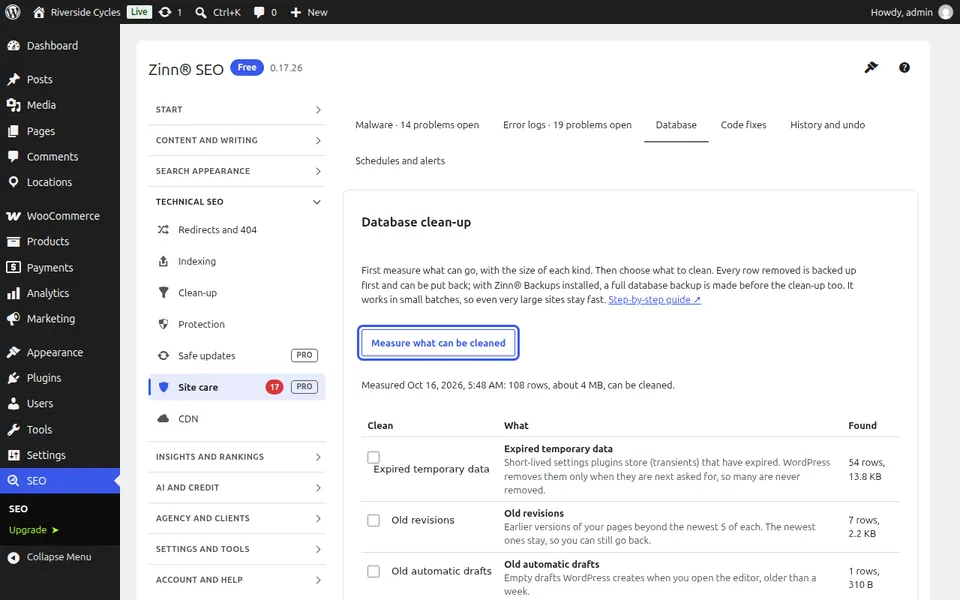
Choose what to clean
Tick the kinds to clean: expired temporary data, old revisions (the newest of each page are kept), automatic drafts, spam and trash, data left behind by deleted pages, comments, users and categories, finished background tasks and table space.
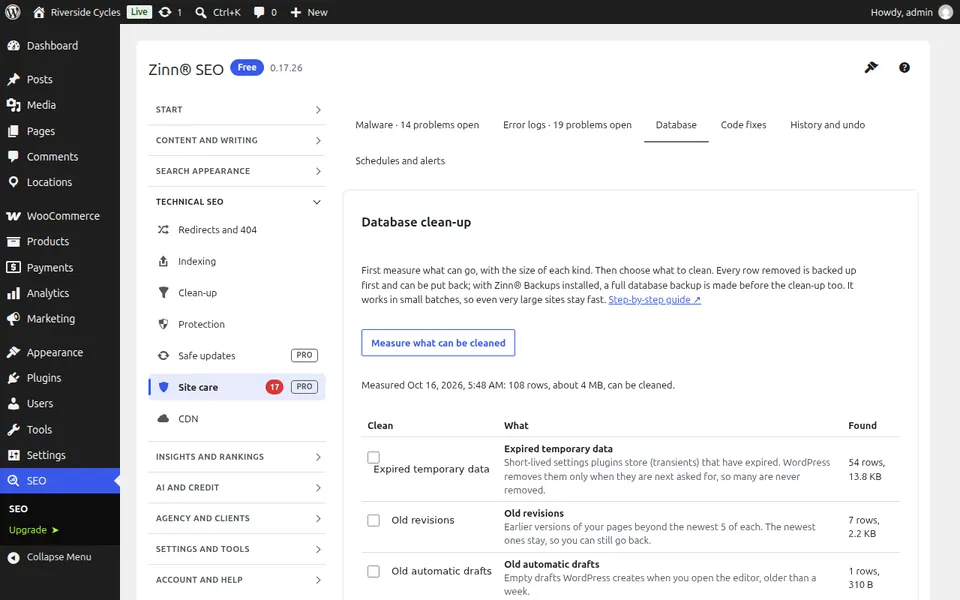
Back up and clean
Tick that you have looked at the sizes and press Clean up. Every row is backed up before it goes, and with Zinn® Backups a full database backup is made first. It works in small batches, so even a very large site stays fast.
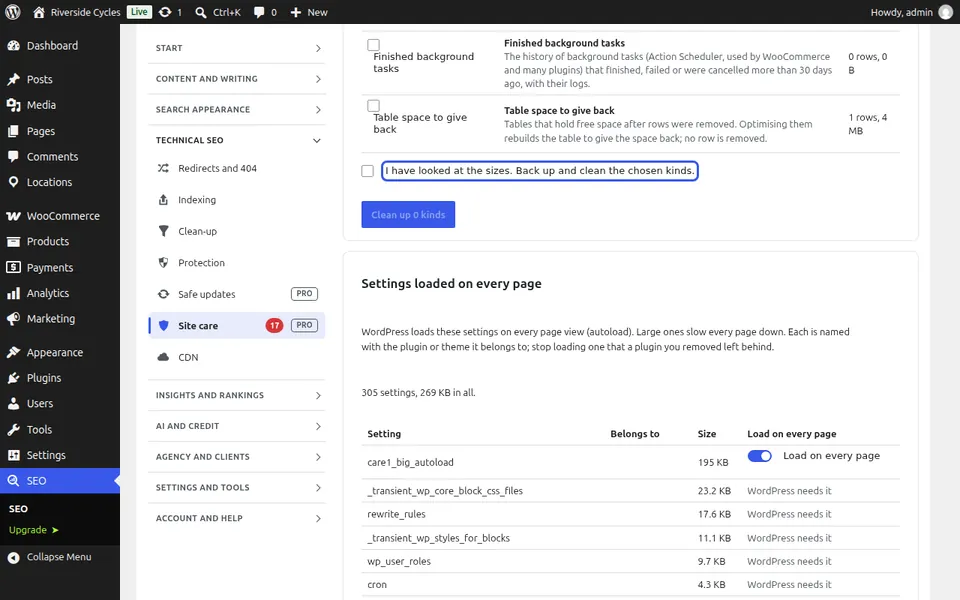
Settings loaded on every page, and undo
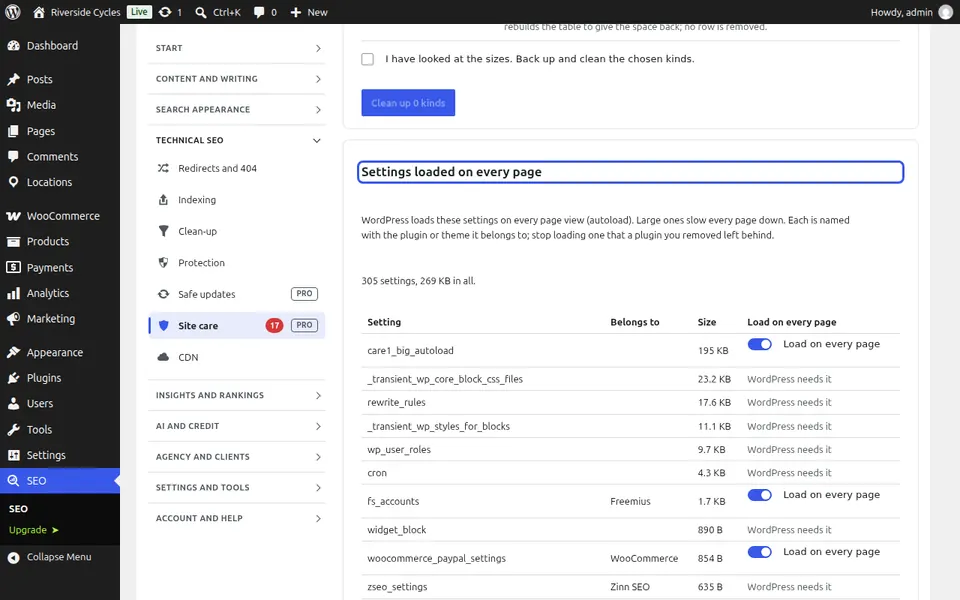
Below, the largest settings WordPress loads on every page view are named with the plugin they belong to: stop loading one that a removed plugin left behind. Press Undo this whole run to put everything back, and choose a weekly or monthly clean-up under Schedules and alerts.
Next guide: Approve small code fixes safely
From the same team
Want fast hosting to go with it?
Zinn Digital® hosts WordPress on its own servers, with a CDN, DNS, TLS and daily backups included in every plan.