 Zinn® SEO
Create images with AI
Describe a picture and get it in your media library with a search-friendly file name, alt text and caption — as the featured image or in the post. Use your own OpenAI or Gemini key, or Zinn® credit. This is part of Zinn® SEO Pro.
Describe the picture
In the editor, open Writing help, AI images and type what the picture should show. Choose the shape. With your own key you can choose the AI model for the picture.
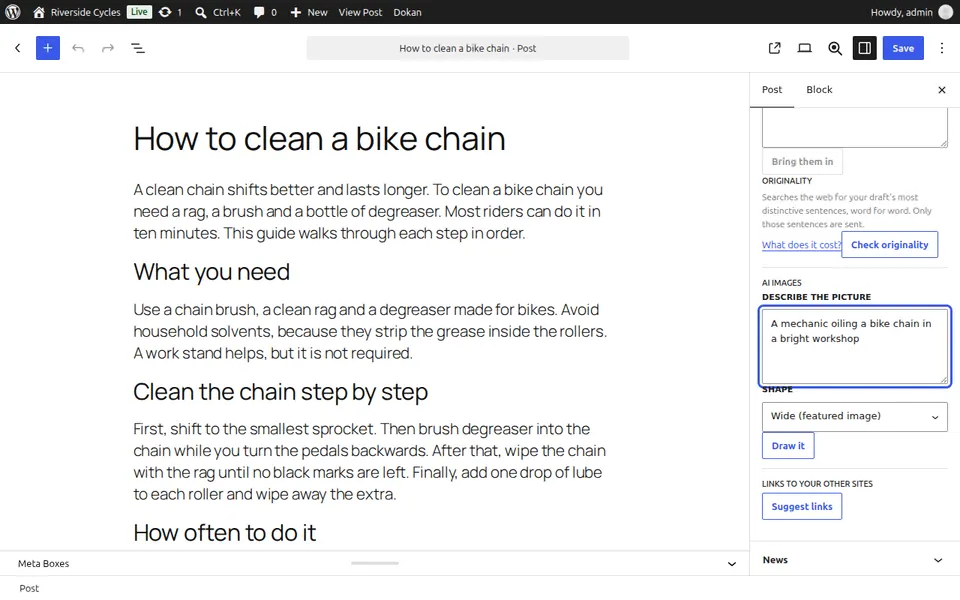
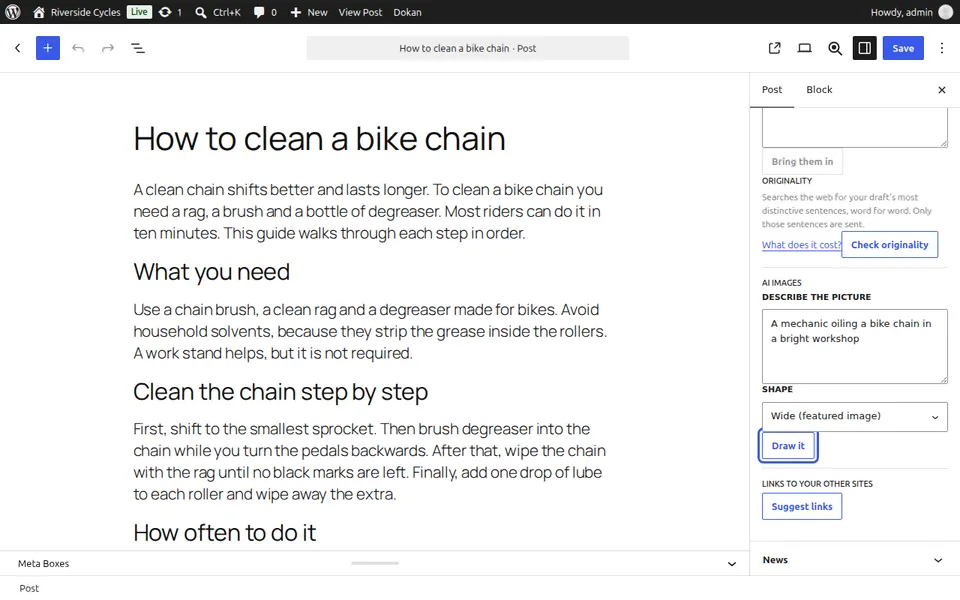
Draw it
Press Draw it. On Zinn® credit the price is shown first, and a picture that cannot be drawn is not charged.
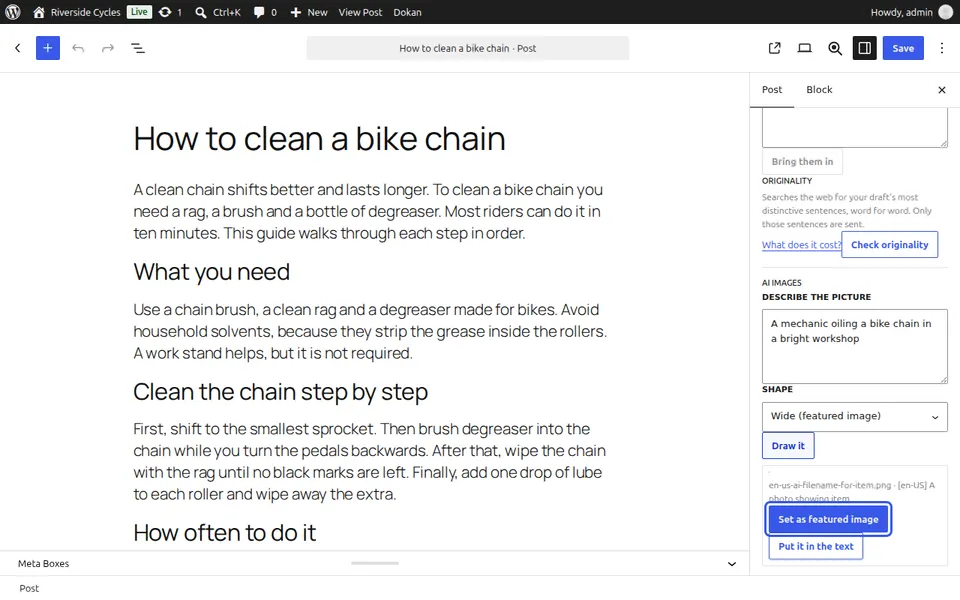
Use it
Press Set as featured image or Put it in the text. The file name, alt text and caption are written for you, and you can change them.
Next guide: Manage affiliate links
From the same team
Want fast hosting to go with it?
Zinn Digital® hosts WordPress on its own servers, with a CDN, DNS, TLS and daily backups included in every plan.