 Zinn® SEO
Give SEO tasks to your team and clients (Pro)
Hand any problem to a colleague or client with a due date; they are e-mailed, comment and tick it off.
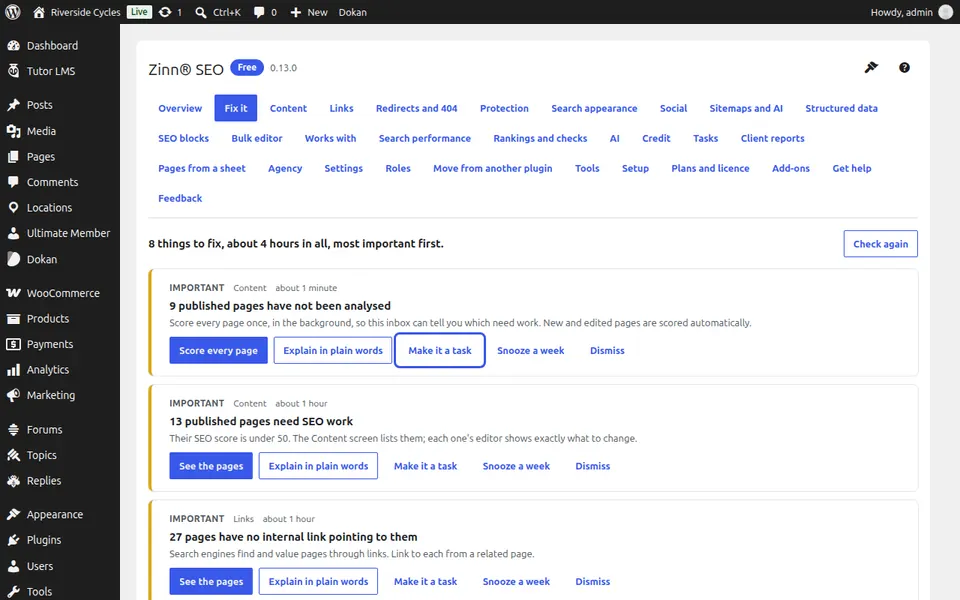
Make a task from Fix it
In SEO, Fix it, press Make it a task on any finding.
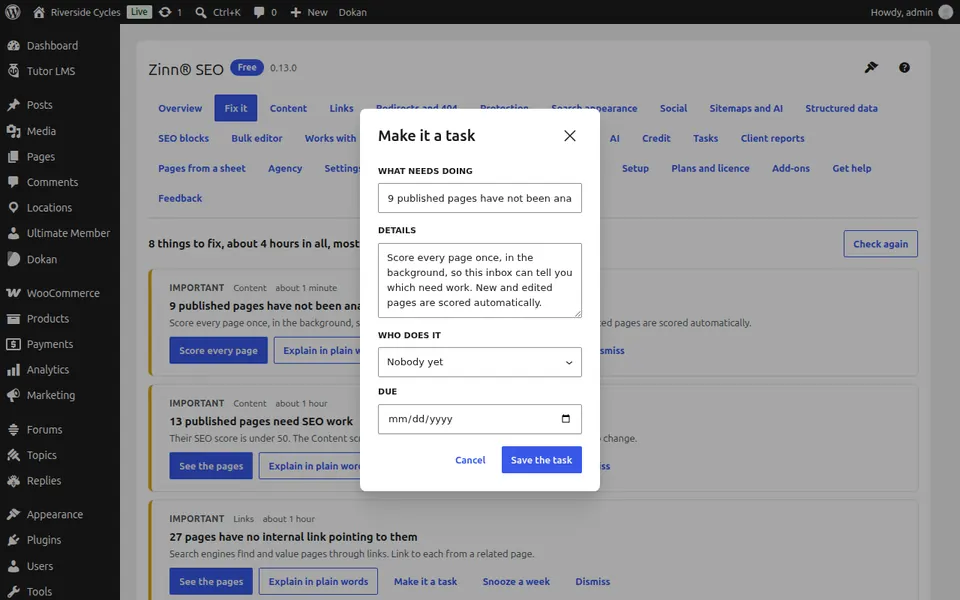
Say who and when
Write what needs doing, choose who does it and when it is due, and press Save the task. They get an e-mail.
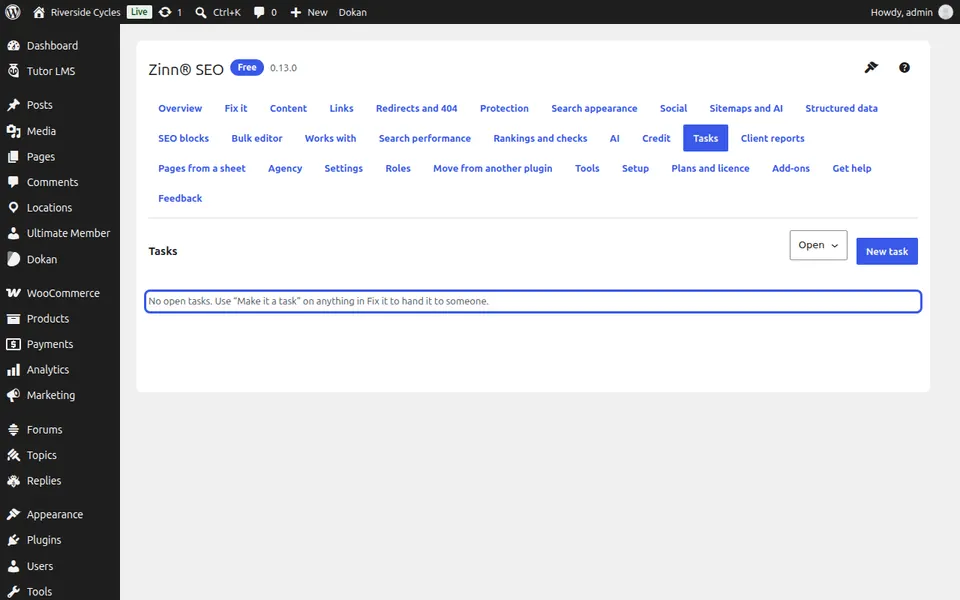
Follow the tasks
Go to SEO, Tasks. Open tasks shows what is open and overdue; Open where it is fixed takes the person straight to the screen, and Mark as done closes it.
Next guide: Build landing pages from a spreadsheet (Pro)
From the same team
Want fast hosting to go with it?
Zinn Digital® hosts WordPress on its own servers, with a CDN, DNS, TLS and daily backups included in every plan.