 Zinn® SEO
Redirect only some visitors (Pro)
Send a redirect only to logged-in visitors, a role, a country's language, a device, a campaign cookie or only when a page is missing.
Open a redirect
Go to SEO, Redirects and 404 and add or edit a redirect.
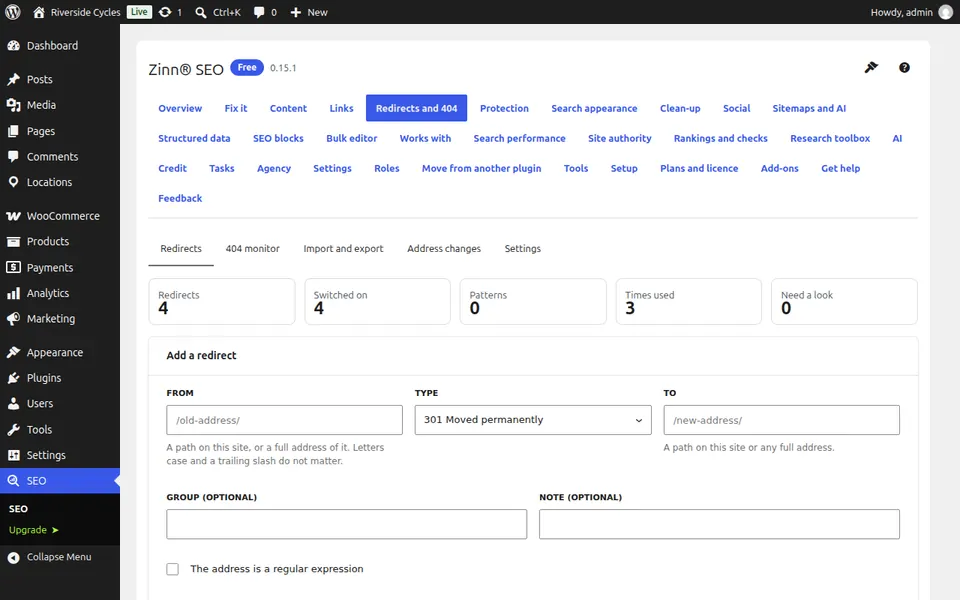
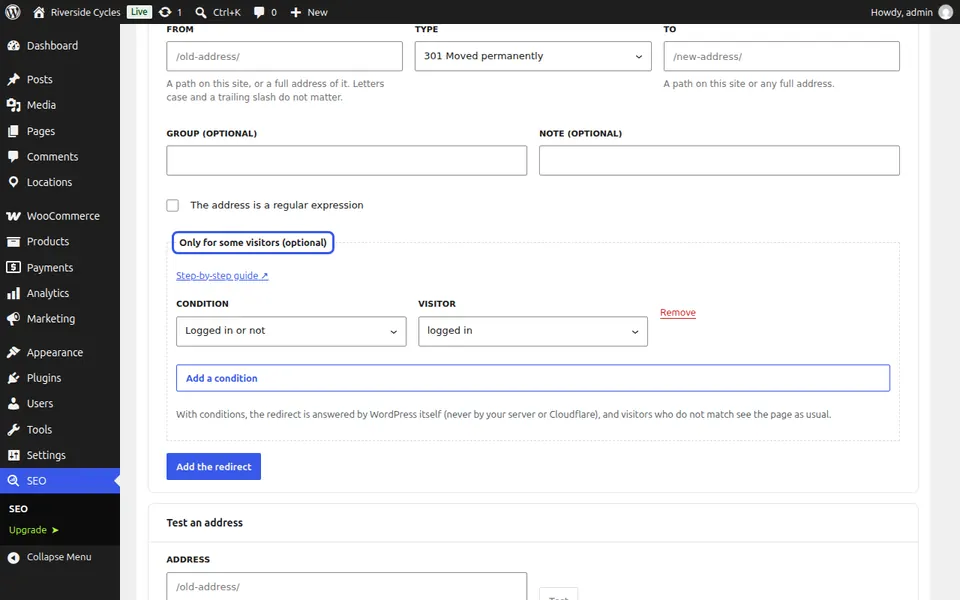
Add conditions
Under Only for some visitors (optional), press Add a condition and choose what to test, for example Has a cookie: campaign=autumn, or Only when the page does not exist.
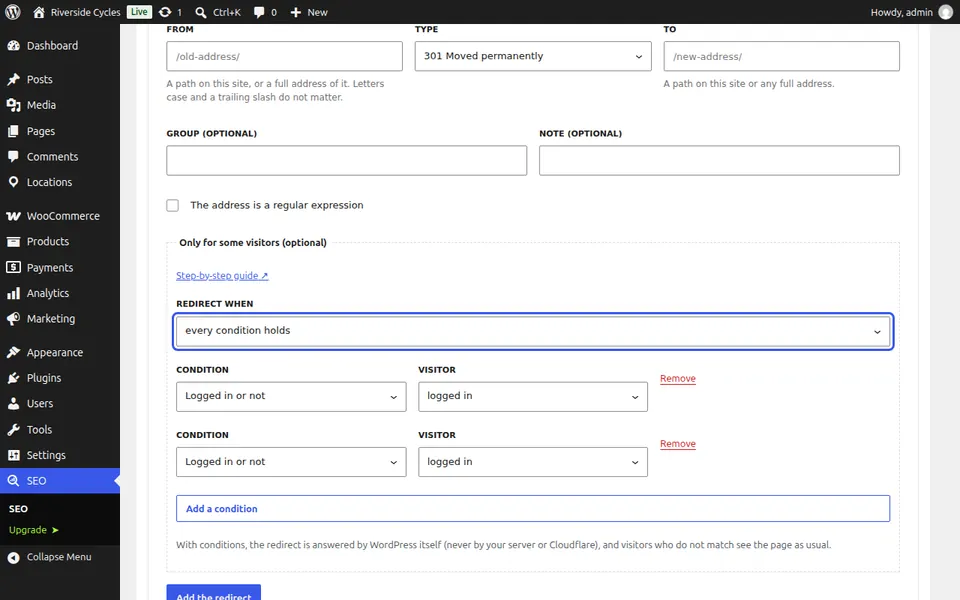
Choose all or any
Choose whether every condition holds or any condition holds. Every other visitor sees the page as usual.
Next guide: Control what search results quote
From the same team
Want fast hosting to go with it?
Zinn Digital® hosts WordPress on its own servers, with a CDN, DNS, TLS and daily backups included in every plan.