 Zinn® SEO
Track your Domain Rating and other authority scores
Watch your Ahrefs Domain Rating with a free key, or Open PageRank, Majestic, Moz, Semrush and SE Ranking with your own accounts: history, competitors and an e-mail when a score moves.
Open Site authority
Go to SEO, Site authority, and open Connect and choose. Each source has its own card: Ahrefs with its free Domain Rating key, Open PageRank, and Zinn® Authority on Zinn® credit. Pro adds your paid Ahrefs, Majestic, Moz, Semrush and SE Ranking accounts.
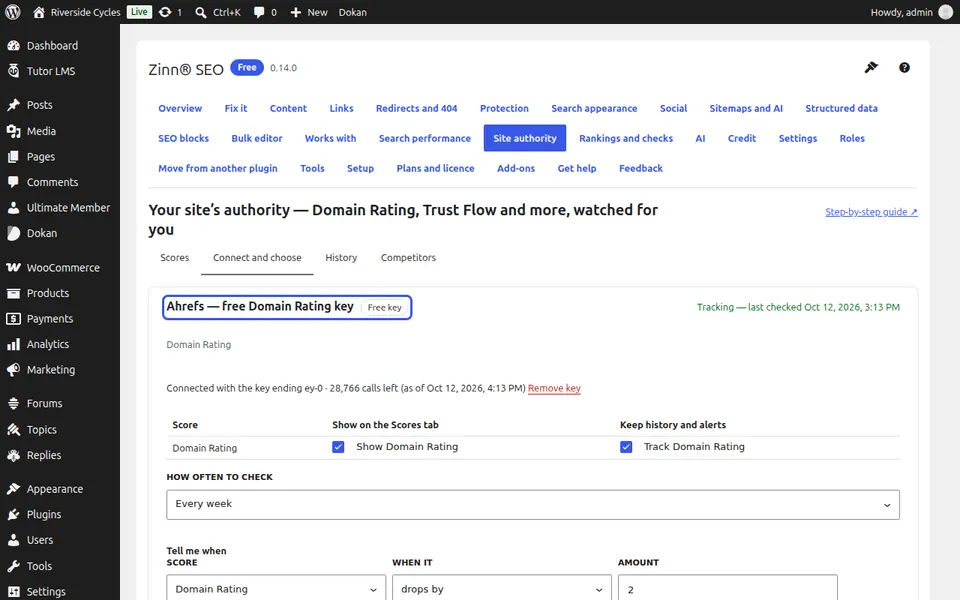
Paste your key
Follow the steps to create an API key in your account with that company, paste it in and press Check and connect. The key is checked with the company first and kept only in your Zinn® account, never in WordPress.
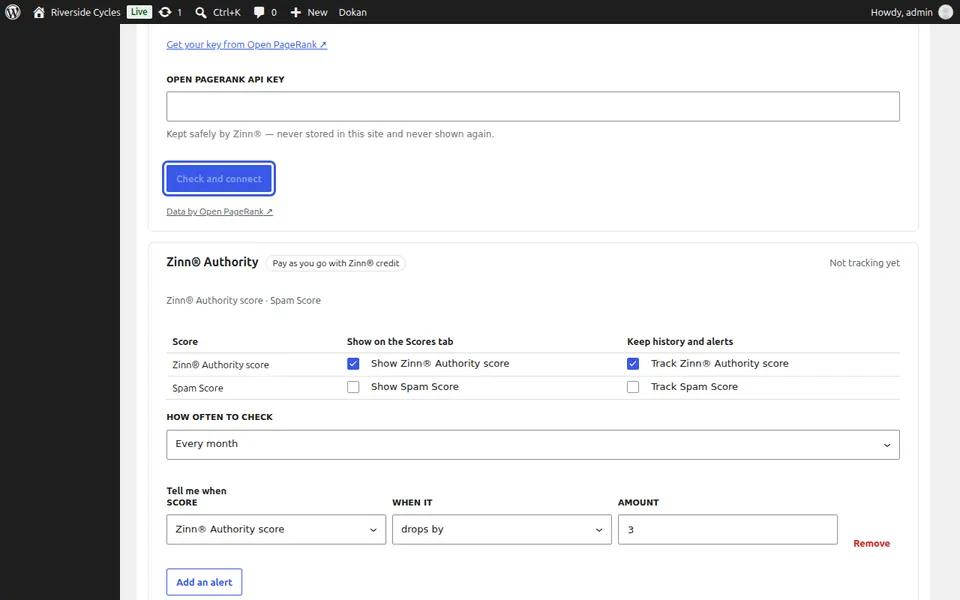
Choose what to track
Tick the scores to show and the ones to keep history for, and pick how often to check: every day, week or month. Press See what this schedule will use before you save to see its cost in the company's own units. Add an alert to be told when a score drops or rises, then press Save.
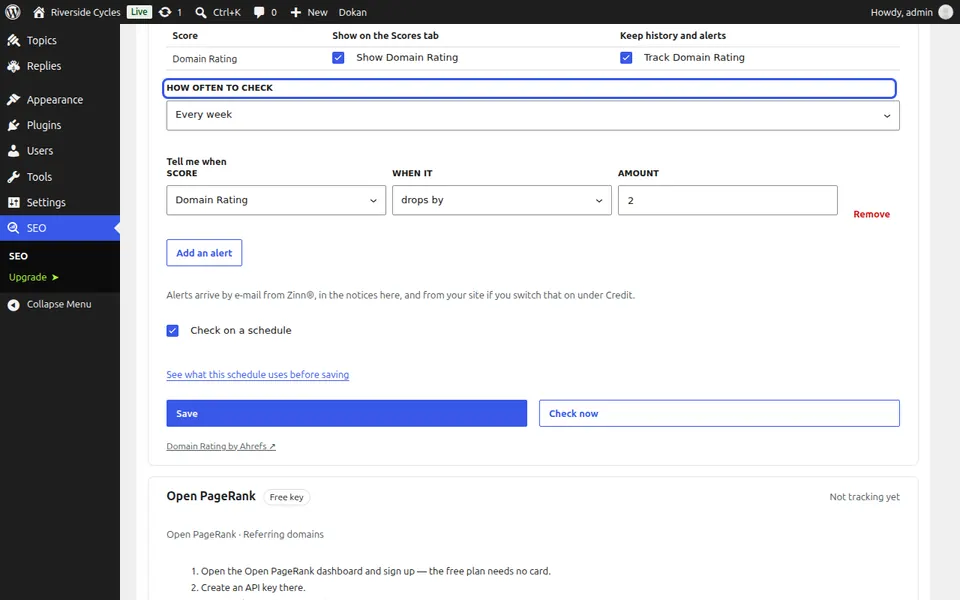
See your scores and history
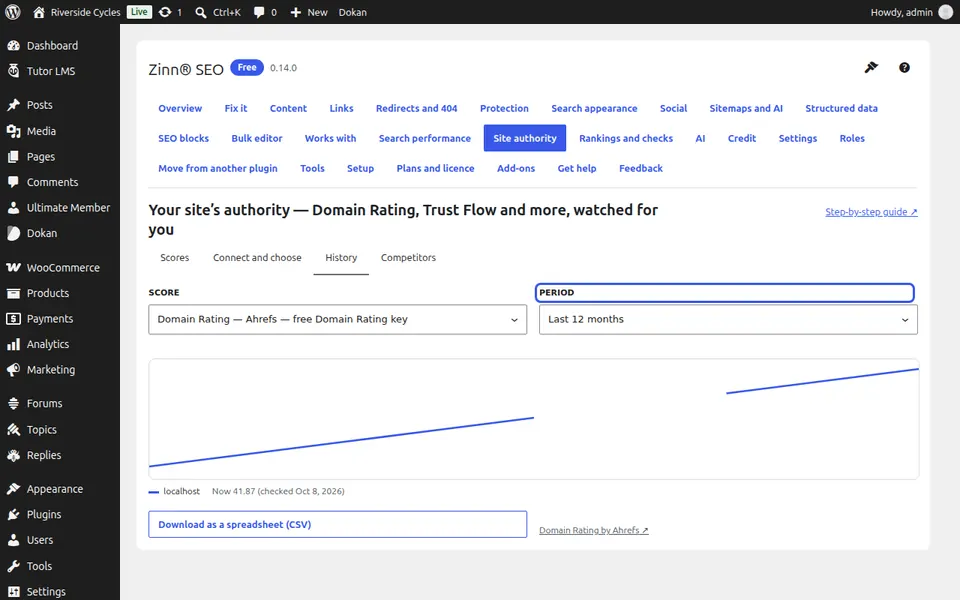
The Scores tab shows each score with who measured it and how it moved. History draws every score over the last 30 days to 3 years; with Pro, Competitors puts up to 10 other sites on the same chart.
Next guide: Review backlinks and make a disavow file (Pro)
From the same team
Want fast hosting to go with it?
Zinn Digital® hosts WordPress on its own servers, with a CDN, DNS, TLS and daily backups included in every plan.