 Zinn® SEO
Watch your backlinks
See every site that links to you, the links gained and lost, and hear the day a link you earned disappears.
Open the Backlinks tab
Go to SEO, Rankings and checks, Backlinks. Every site that links to you shows the sites, the new and lost ones, and a spam score.
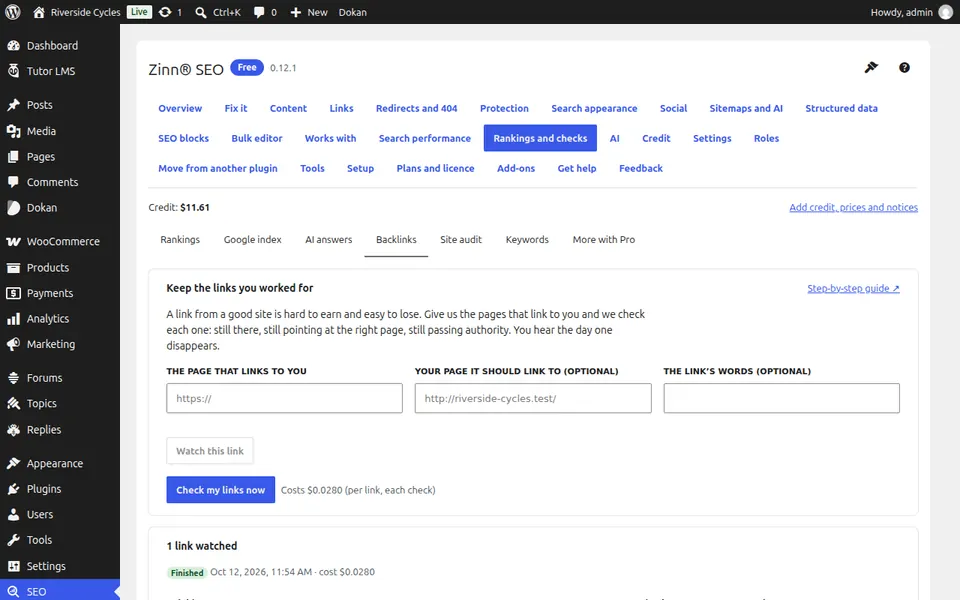
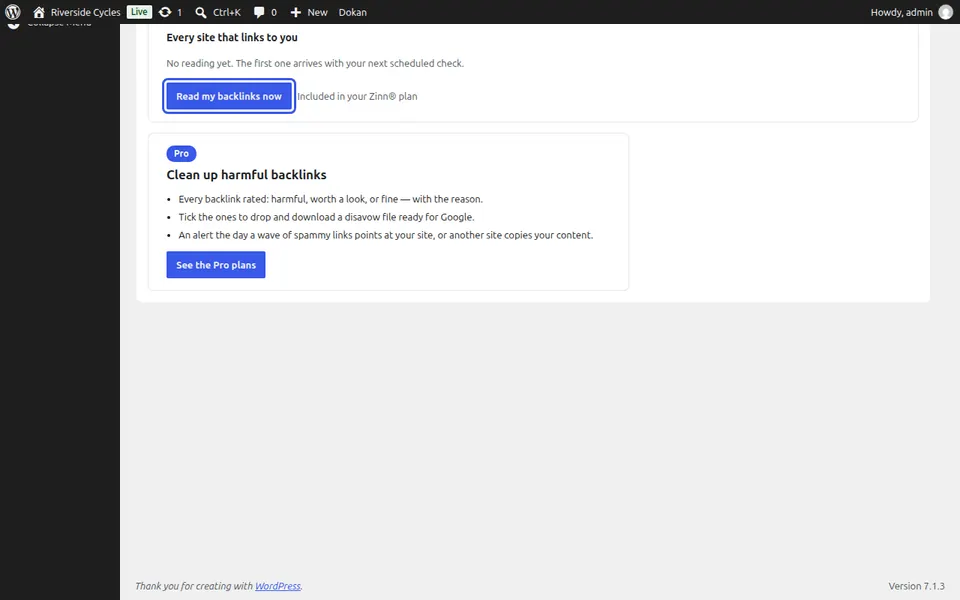
Read your backlinks
Press Read my backlinks now for a reading today; after that they are read on your schedule.
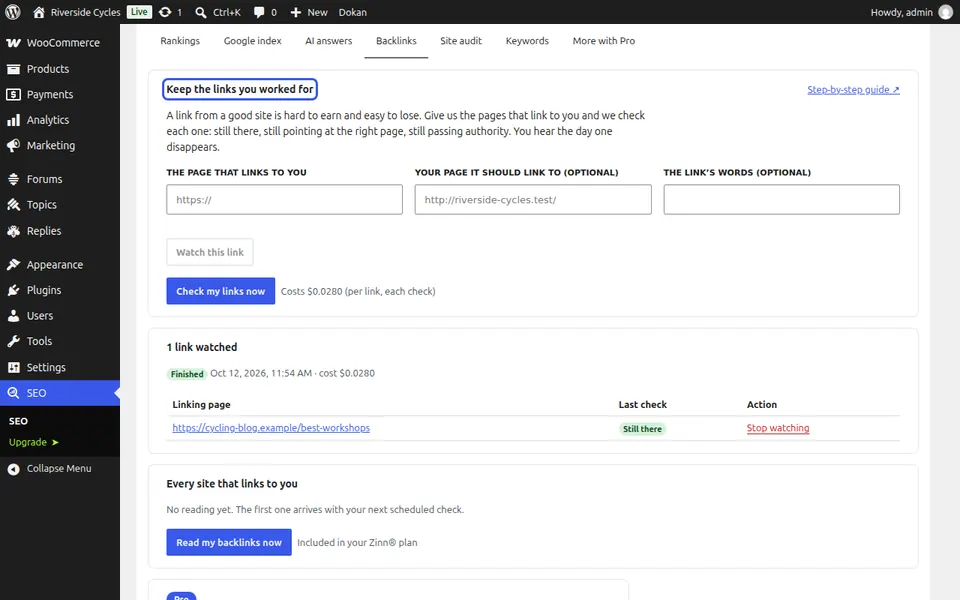
Watch the links you worked for
Under Keep the links you worked for, paste the page that links to you and, if you like, your page it should link to. Press Watch this link. You hear the day it is gone or changed.
Next guide: Track your Domain Rating and other authority scores
From the same team
Want fast hosting to go with it?
Zinn Digital® hosts WordPress on its own servers, with a CDN, DNS, TLS and daily backups included in every plan.