 Zinn® SEO
Write a page from a content brief
Before you write, see what the pages that already rank have in common: how long they are, the sections they share, the topics they cover and the questions searchers ask. Then start a draft from it in one click. This is part of Zinn® SEO Pro. You pay for each check from your Zinn® credit, and the price is shown before anything runs.
Open Content brief
Go to SEO, Research toolbox, Content brief.
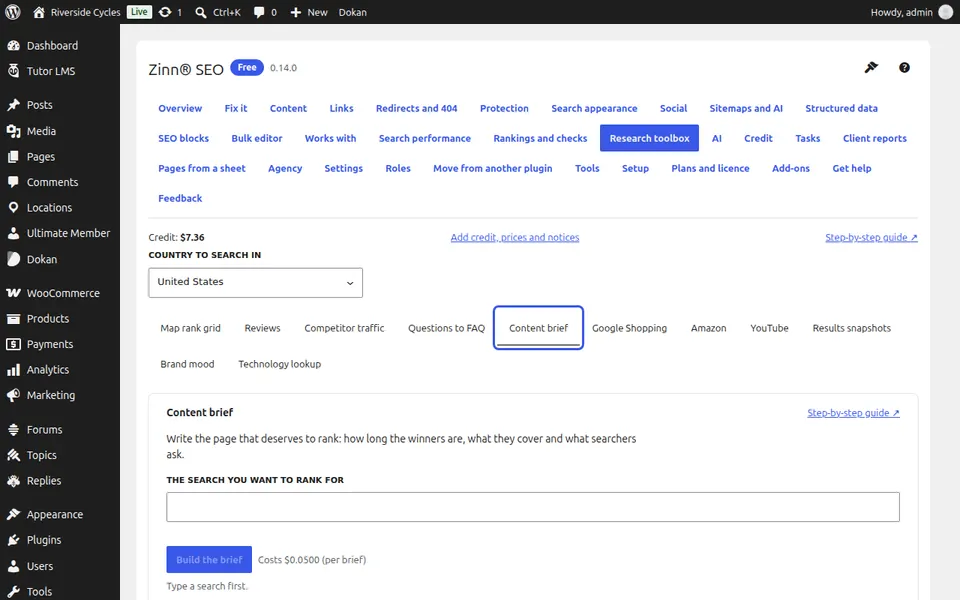
Build the brief
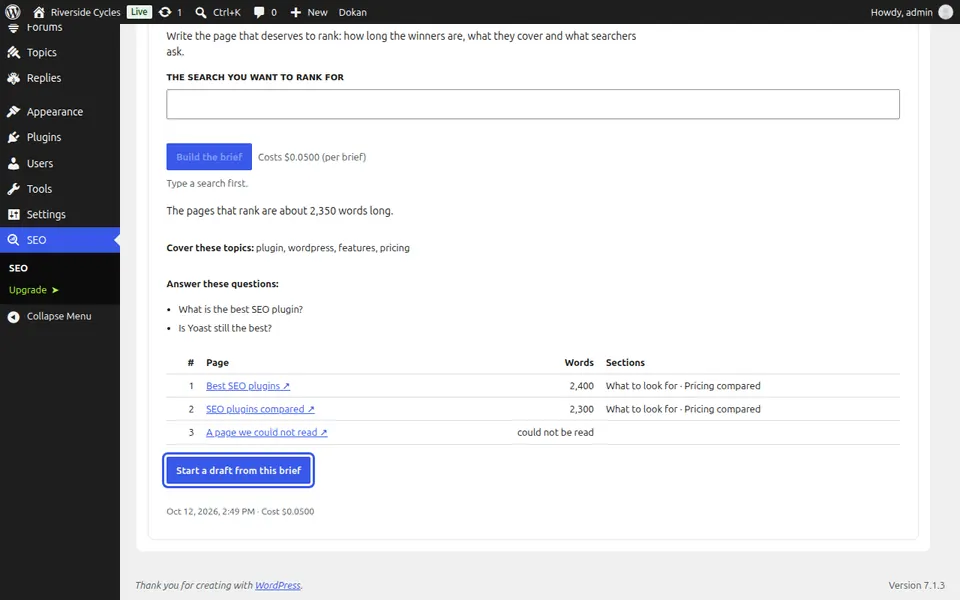
Type the search you want to rank for, press Build the brief (one charge) and confirm.
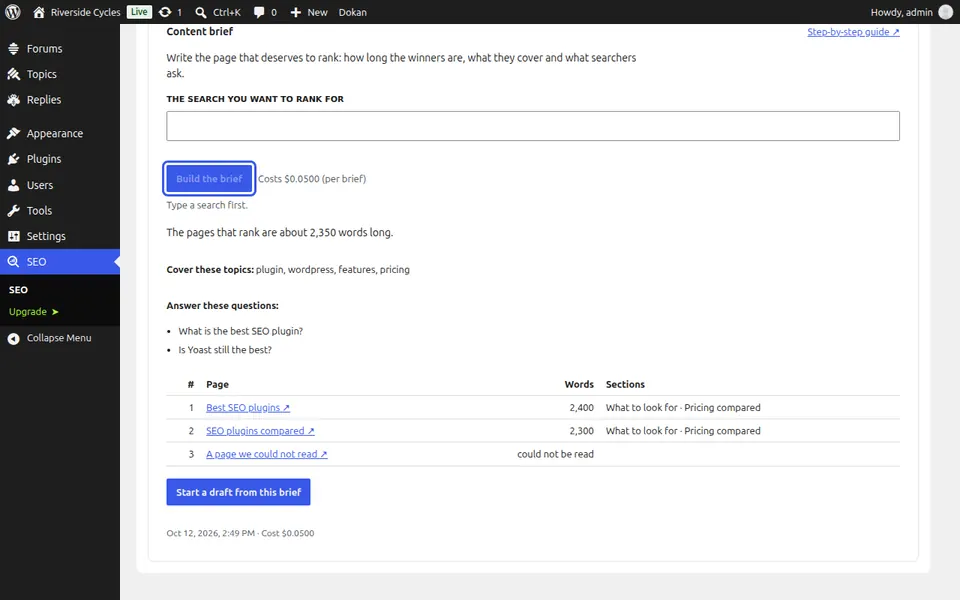
Read the brief
The usual length of the ranking pages, the topics to cover and the questions to answer.
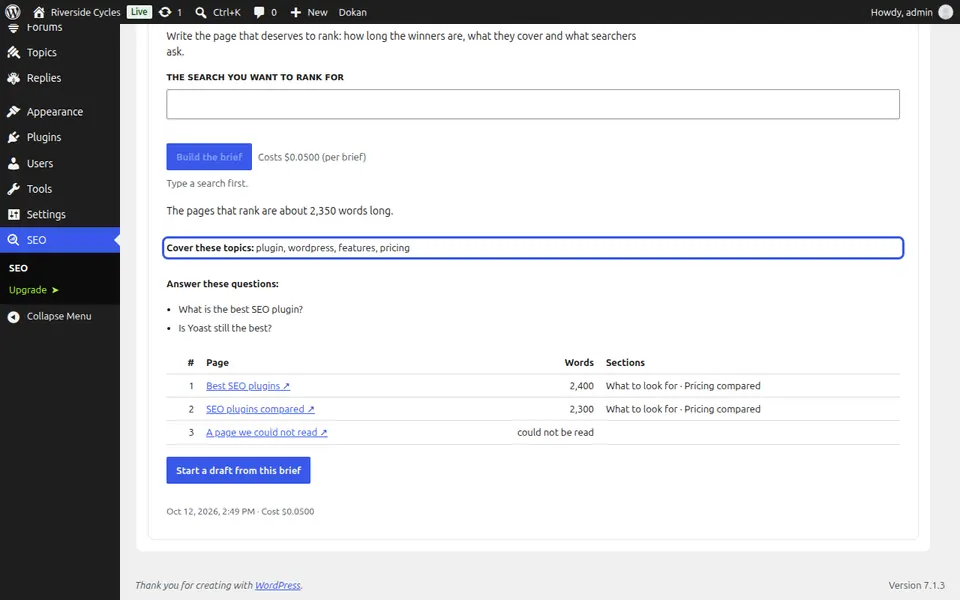
See the top ten
The top ten with their word counts and sections. A page that could not be read is marked.
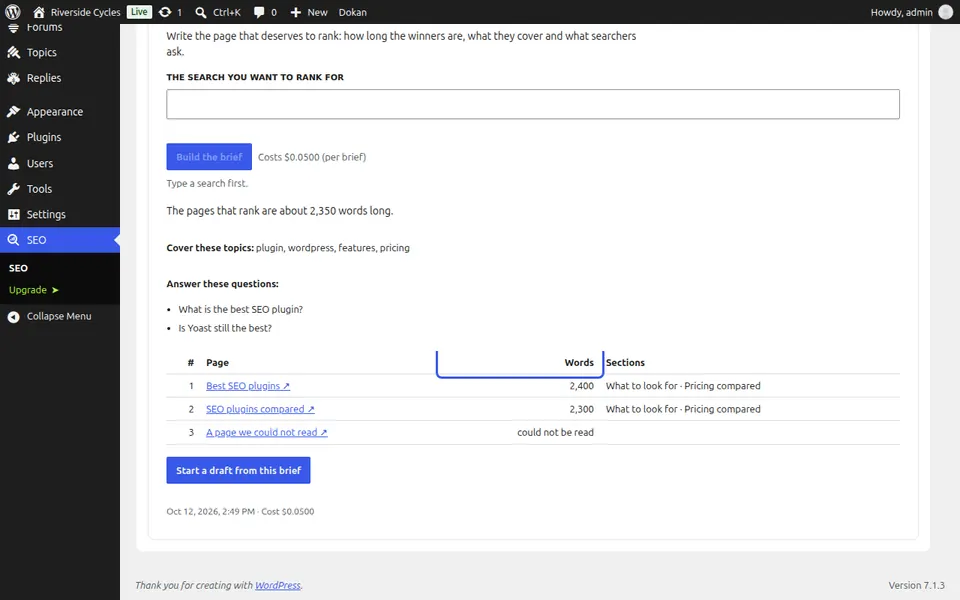
Start a draft
Press Start a draft from this brief. A draft opens with the shared sections as headings, an FAQ block with the questions, and the search set as the page's focus phrase. Write each section in your own words; the editor's SEO panel checks the page as you go.
Next guide: Clean up what WordPress adds to every page
From the same team
Want fast hosting to go with it?
Zinn Digital® hosts WordPress on its own servers, with a CDN, DNS, TLS and daily backups included in every plan.