 Zinn® SEO
Write in Google Docs™ and send it to WordPress
Write in Google Docs™ with the Zinn® SEO add-on: see the SEO and readability checks as you write, then send the document to WordPress as a draft with its headings, SEO title and description. This is part of Zinn® SEO Pro.
Make your key
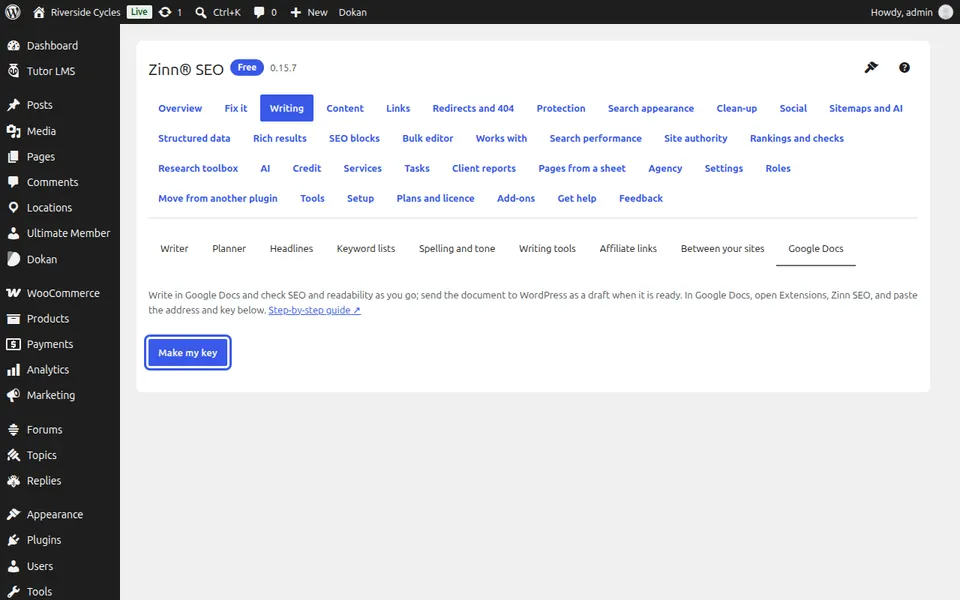
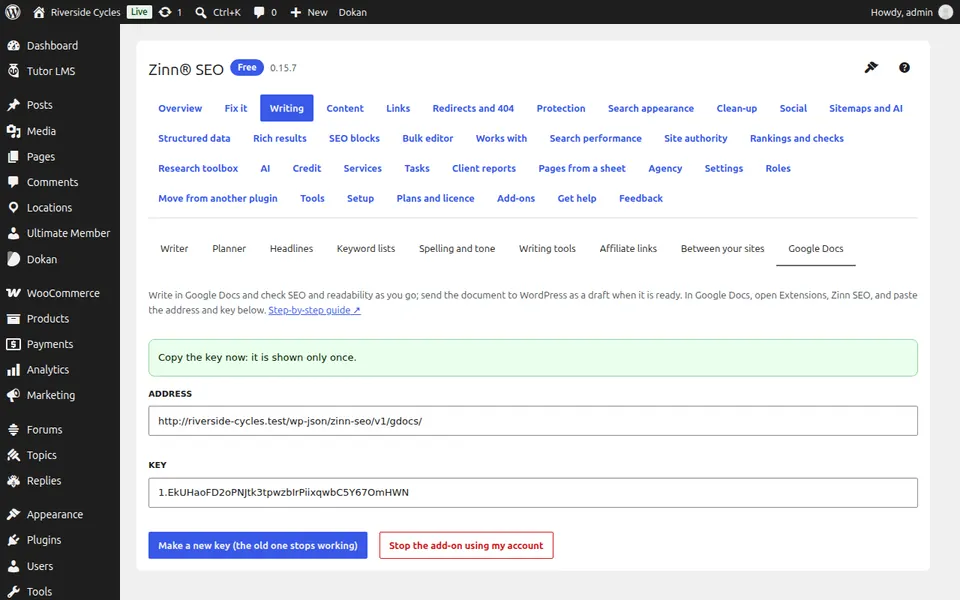
Go to SEO, Writing, Google Docs™ and press Make my key. Copy the Address and Key: the key is shown only once.
Connect the add-on
In Google Docs™ open Extensions, Zinn® SEO, paste the address and key and press Connect.
Check as you write
The sidebar shows the headline score and the content checks for the document.
Send it
Fill in the SEO title and description and press Send to WordPress as a draft. Sending again updates the same draft, never a published post.
Next guide: SEO for news publishers
From the same team
Want fast hosting to go with it?
Zinn Digital® hosts WordPress on its own servers, with a CDN, DNS, TLS and daily backups included in every plan.