 Zinn® SEO
AI providers
Settings › AI providers, in the WordPress menu: connect your own OpenAI, Anthropic, Google Gemini or other AI key, test it, and choose which model does which kind of work.
Open AI providers
This screen is outside the SEO menu: Settings > AI providers (in the WordPress menu). Settings › AI providers, in the WordPress menu: connect your own OpenAI, Anthropic, Google Gemini or other AI key, test it, and choose which model does which kind of work.
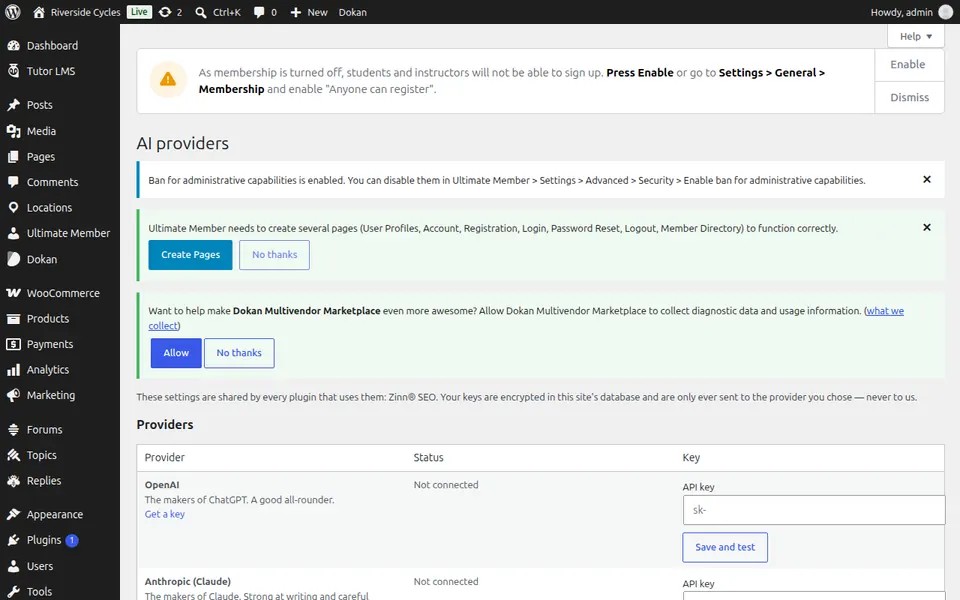
Use AI providers
Paste a provider's key, save it and test it. Then choose a model for each kind of work, or leave the automatic choice.
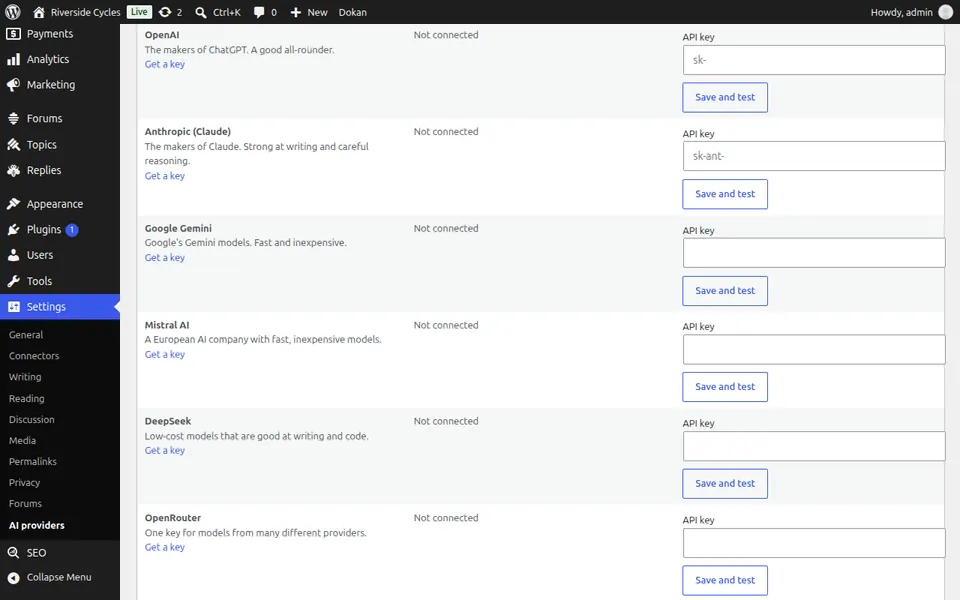
Step-by-step guides for this screen
Next guide: SEO panel in the editor
From the same team
Want fast hosting to go with it?
Zinn Digital® hosts WordPress on its own servers, with a CDN, DNS, TLS and daily backups included in every plan.