 Zinn® SEO
The Client reports screen
Branded SEO reports for your clients — rankings, pages in Google, links and the work you did, with a plain-words summary — e-mailed on a schedule, in a Google Sheet or on a client page. (Pro)
Open Client reports
In WordPress, open SEO in the menu, then Client reports under Agency and clients in the plugin's side menu. Branded SEO reports for your clients — rankings, pages in Google, links and the work you did, with a plain-words summary — e-mailed on a schedule, in a Google Sheet or on a client page. (Pro)
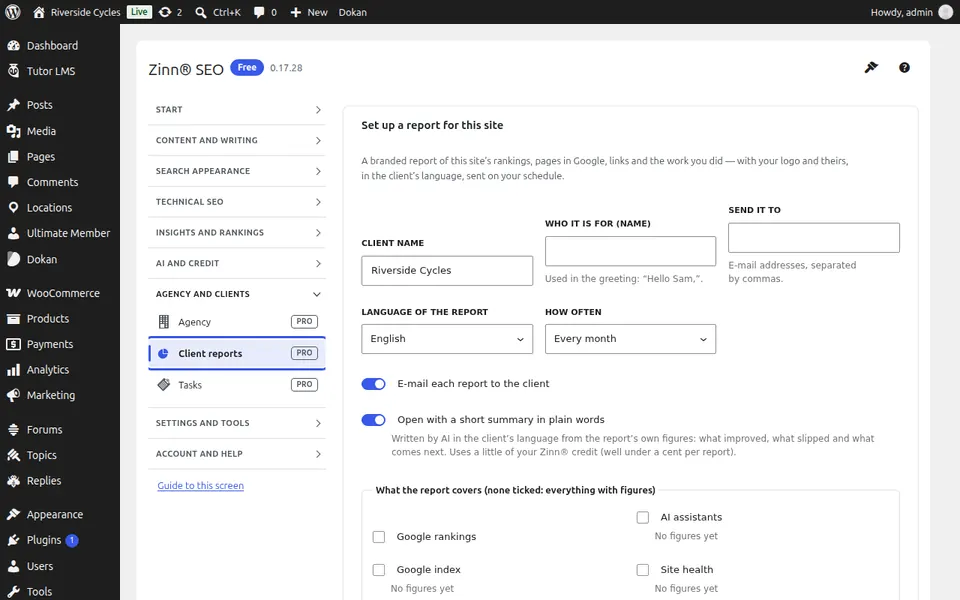
Use Client reports
Create a report, pick what it shows and who receives it, and choose when it is sent. Open the client page to see it as your client will.
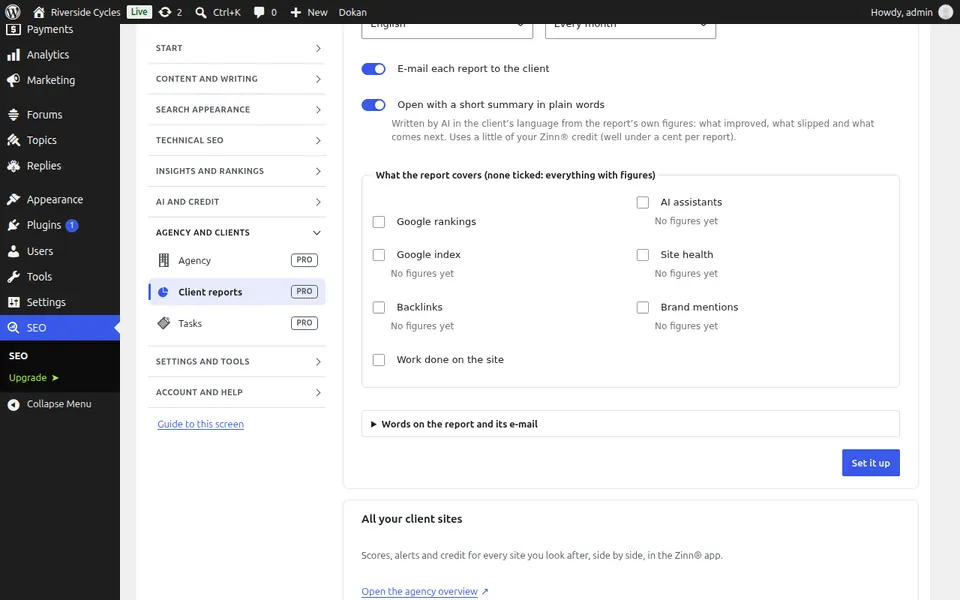
Step-by-step guides for this screen
Next guide: The Tasks screen
From the same team
Want fast hosting to go with it?
Zinn Digital® hosts WordPress on its own servers, with a CDN, DNS, TLS and daily backups included in every plan.