 Zinn® SEO
The Credit screen
Your Zinn® credit: what you have, how long it lasts at your current pace, what each check costs and what is scheduled for the next 30 days.
Open Credit
In WordPress, open SEO in the menu, then Credit under AI and credit in the plugin's side menu. Your Zinn® credit: what you have, how long it lasts at your current pace, what each check costs and what is scheduled for the next 30 days.
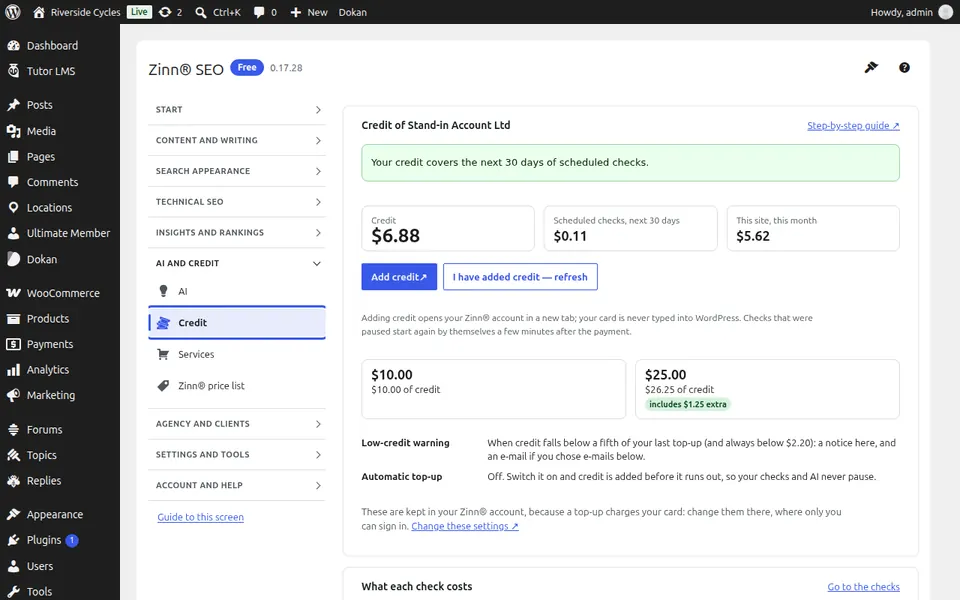
Use Credit
Read your balance and how long it lasts, see what each check costs, and add credit in your Zinn® account when you need more.
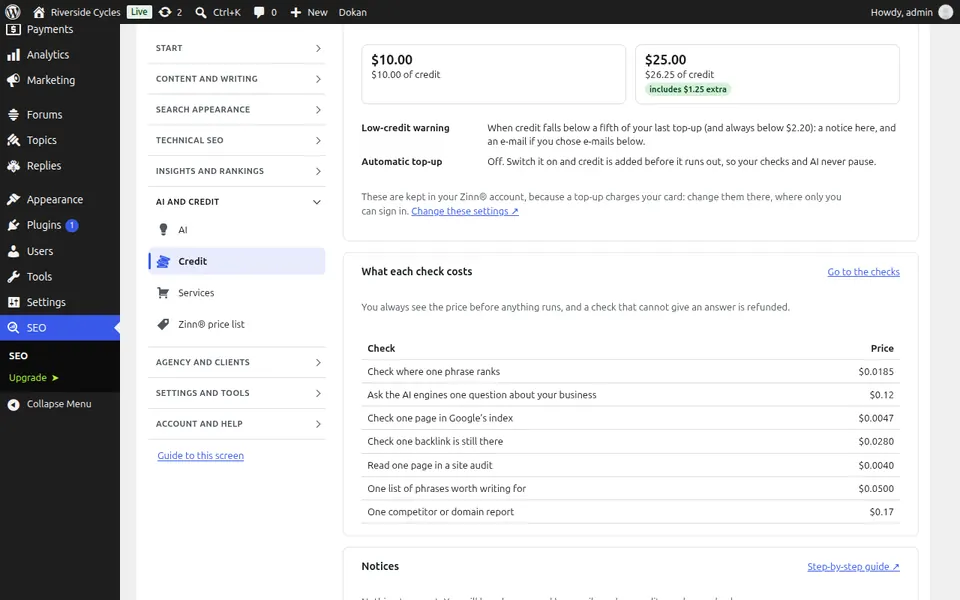
Step-by-step guides for this screen
Next guide: The Services screen
From the same team
Want fast hosting to go with it?
Zinn Digital® hosts WordPress on its own servers, with a CDN, DNS, TLS and daily backups included in every plan.