 Zinn® SEO
The Link plan screen
One plan for the internal links of your whole site, made like an SEO expert would: a hub page for each topic, every page nothing links to linked, the right number of links for each page, in natural words from your own sentences. (Pro)
Open Link plan
In WordPress, open SEO in the menu, then Link plan under Content and writing in the plugin's side menu. One plan for the internal links of your whole site, made like an SEO expert would: a hub page for each topic, every page nothing links to linked, the right number of links for each page, in natural words from your own sentences. (Pro)
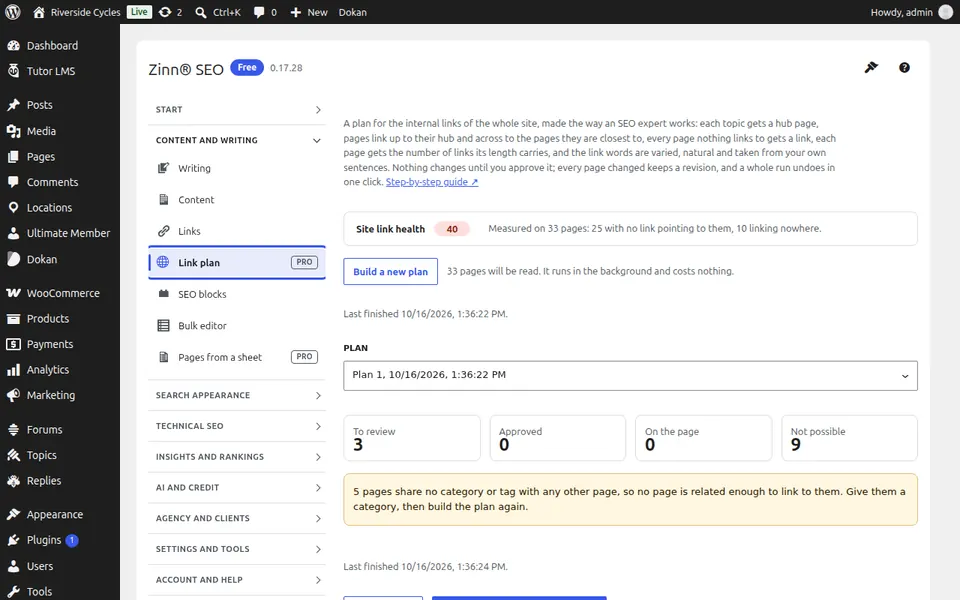
Use Link plan
Build the plan, read your link health, approve the links all at once, by topic or one by one, then add them as a revision per page. Undo a whole run in one click.
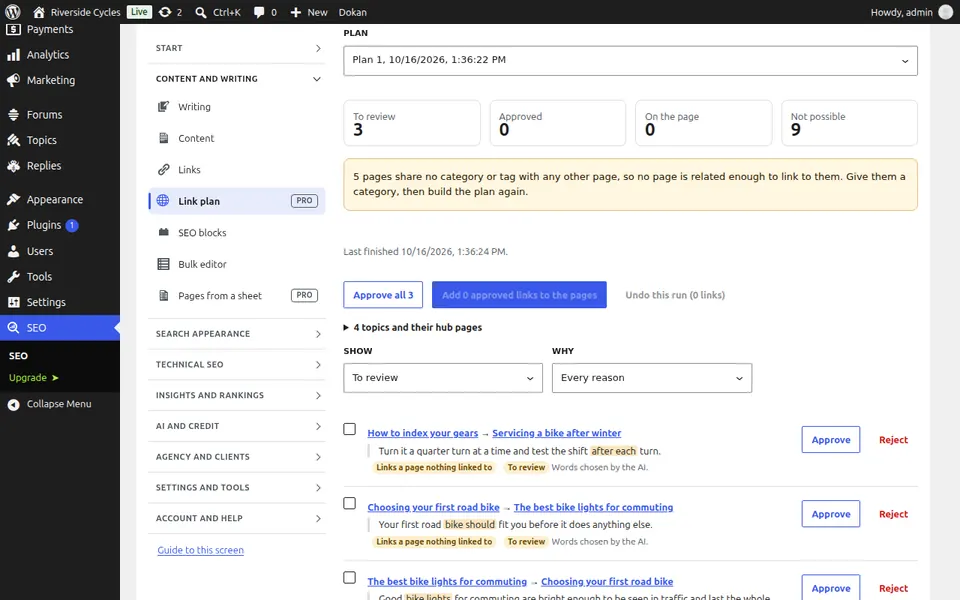
Step-by-step guides for this screen
Next guide: The SEO blocks screen
From the same team
Want fast hosting to go with it?
Zinn Digital® hosts WordPress on its own servers, with a CDN, DNS, TLS and daily backups included in every plan.