 Zinn® SEO
The Works with screen
Which of your plugins Zinn® SEO works with, and the extra SEO it adds for shops, local businesses, sellers, members, forums, headless sites and more.
Open Works with
In WordPress, open SEO in the menu, then Works with under Settings and tools in the plugin's side menu. Which of your plugins Zinn® SEO works with, and the extra SEO it adds for shops, local businesses, sellers, members, forums, headless sites and more.
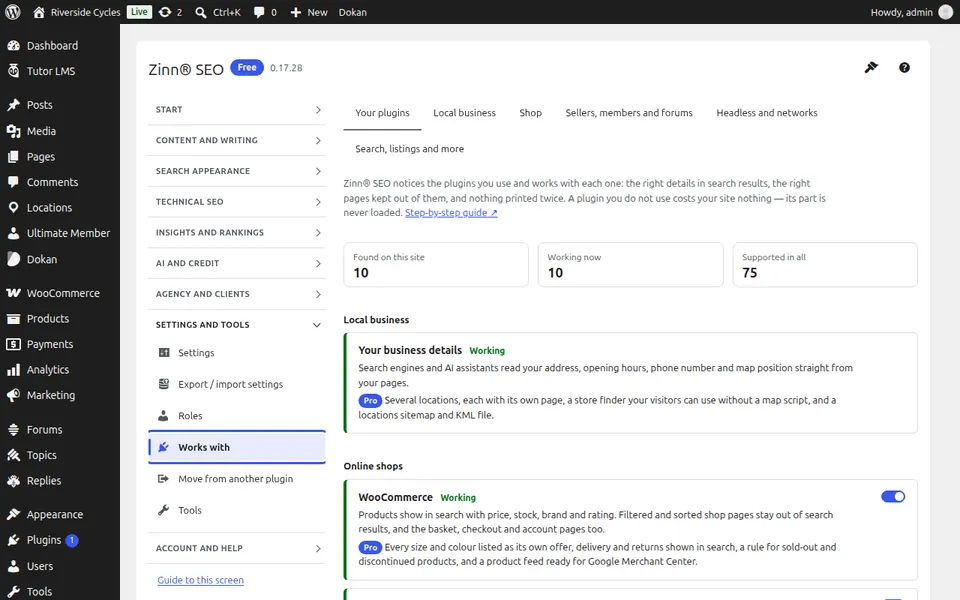
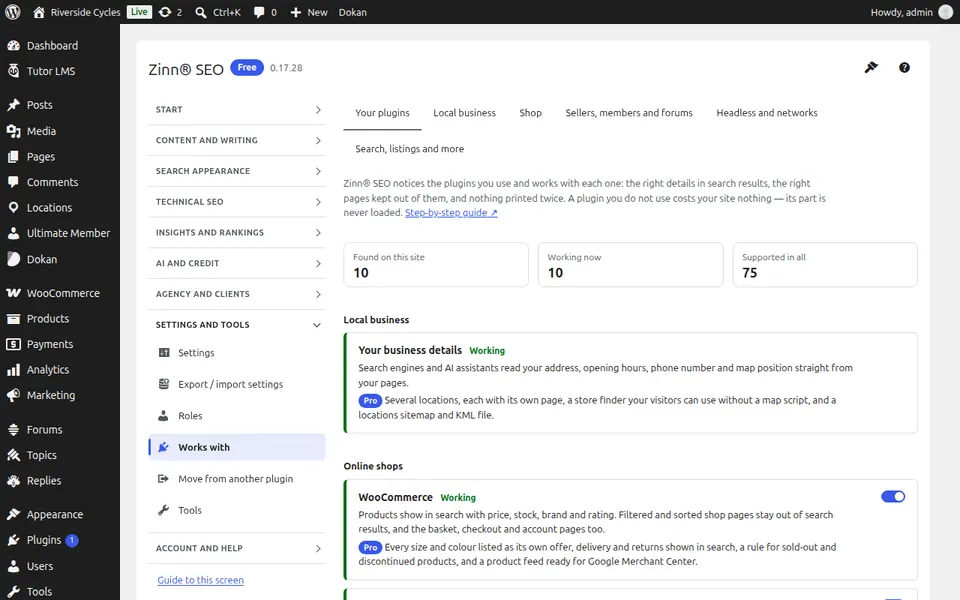
The Your plugins tab
Open the Your plugins tab. Every plugin on your site that Zinn® SEO works with, and what it adds for each; switch any pairing off.
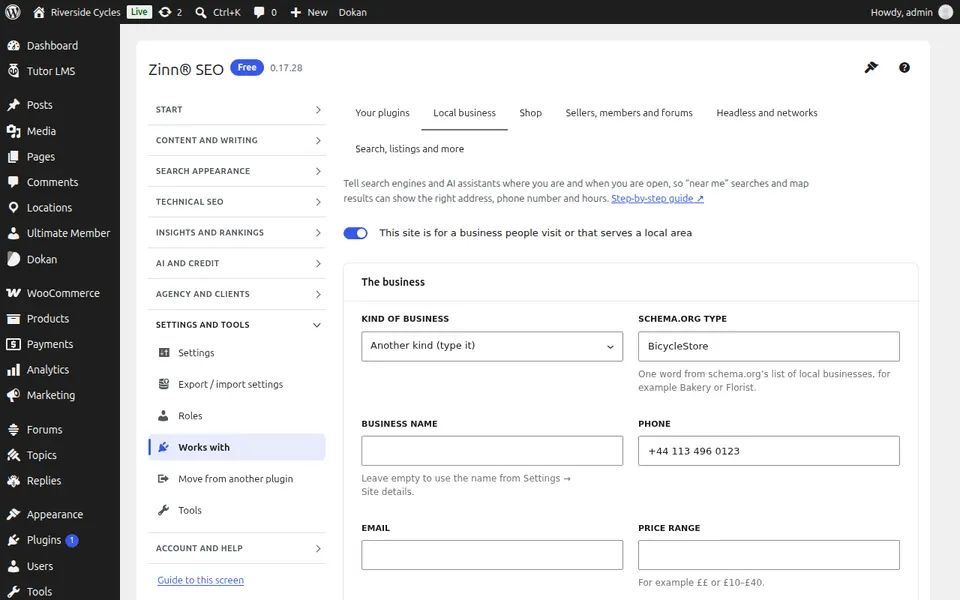
The Local business tab
Open the Local business tab. Local business details, locations and opening hours for local search and maps.
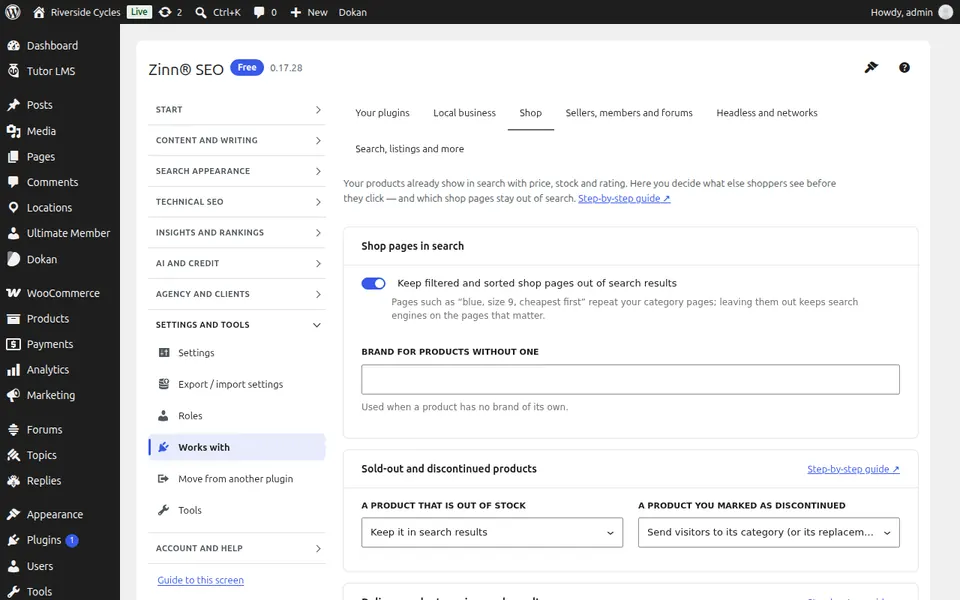
The Shop tab
Open the Shop tab. SEO for shops: product rich results, sold-out products, delivery and returns, and a Google Merchant feed.
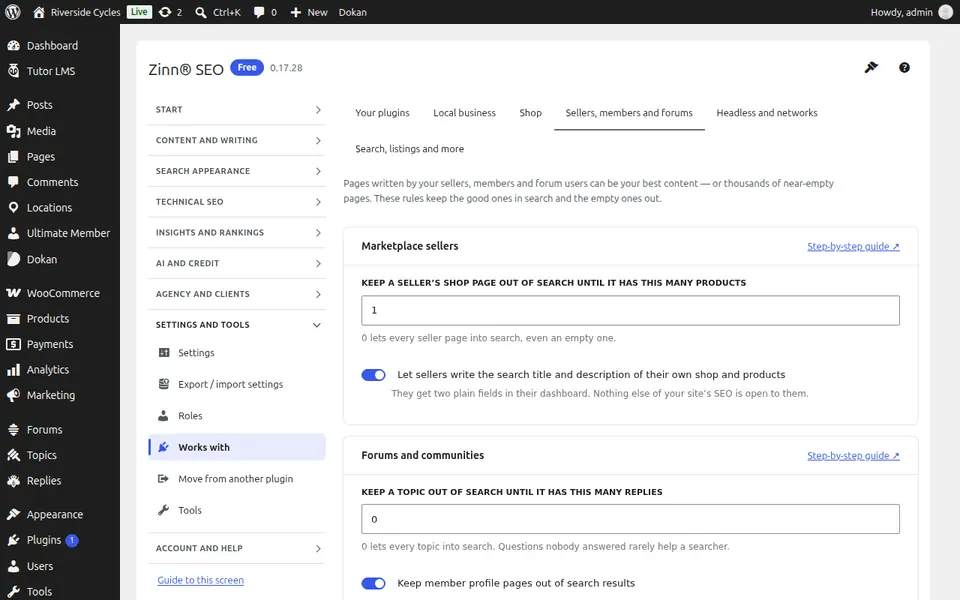
The Sellers, members and forums tab
Open the Sellers, members and forums tab. SEO for marketplaces, memberships and forums: seller pages, members-only content and forum threads.
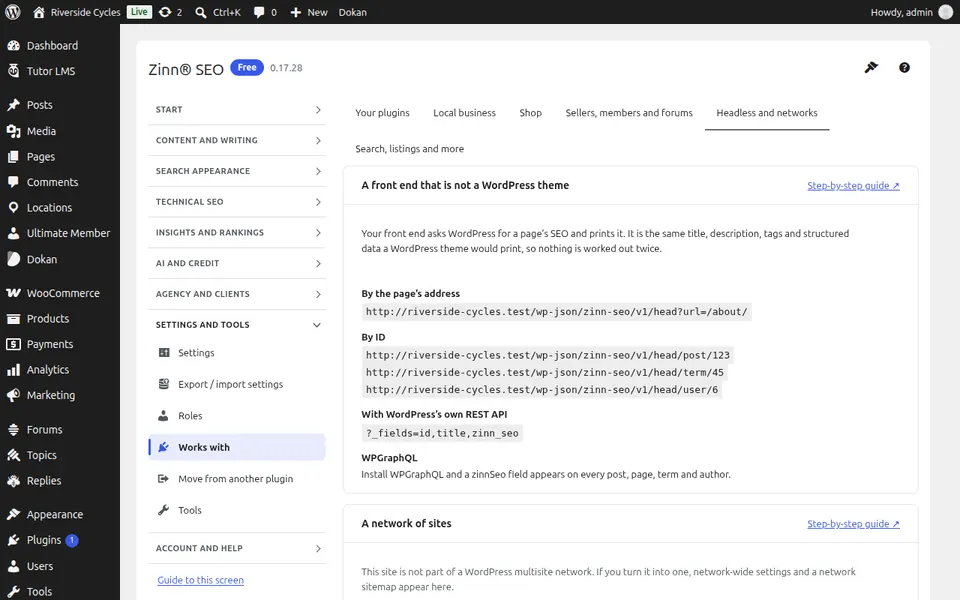
The Headless and networks tab
Open the Headless and networks tab. Headless WordPress and multisite networks: SEO data over the API and network-wide defaults.
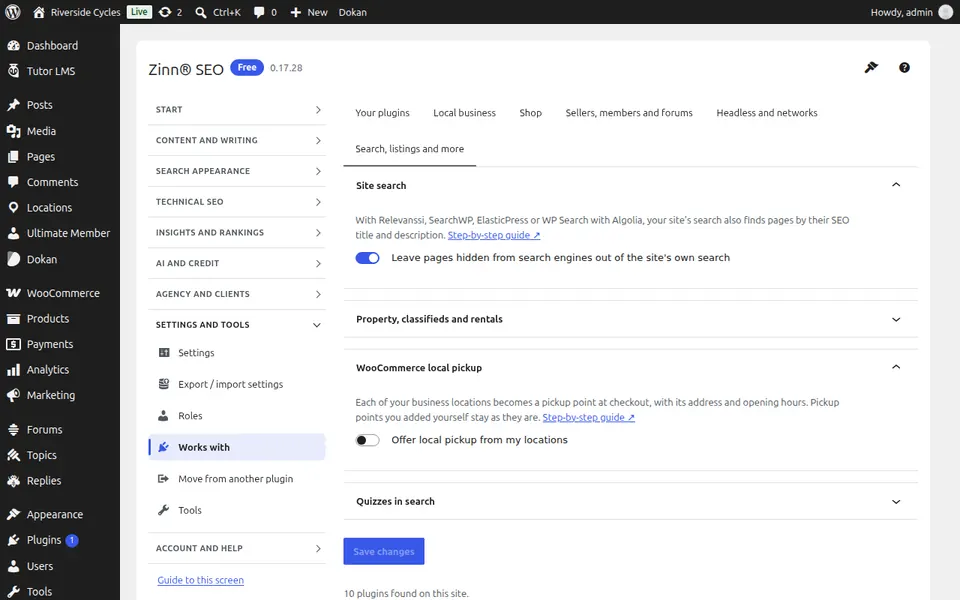
The Search, listings and more tab
Open the Search, listings and more tab. Site search plugins, property and classified listings, courses and quizzes, and more.
Step-by-step guides for this screen
Next guide: The Move from another plugin screen
From the same team
Want fast hosting to go with it?
Zinn Digital® hosts WordPress on its own servers, with a CDN, DNS, TLS and daily backups included in every plan.