 Zinn® SEO
Clean up malware on your WordPress site
Scan every file, account, setting and page for malware and SEO spam, read what was found in plain words, and clean it up in one click: backed up first, nothing deleted, everything undoable.
Open Site care
In WordPress, go to SEO, Site care. The Malware tab shows when your site was last scanned and what is still open. Site care is part of Zinn® SEO Pro.
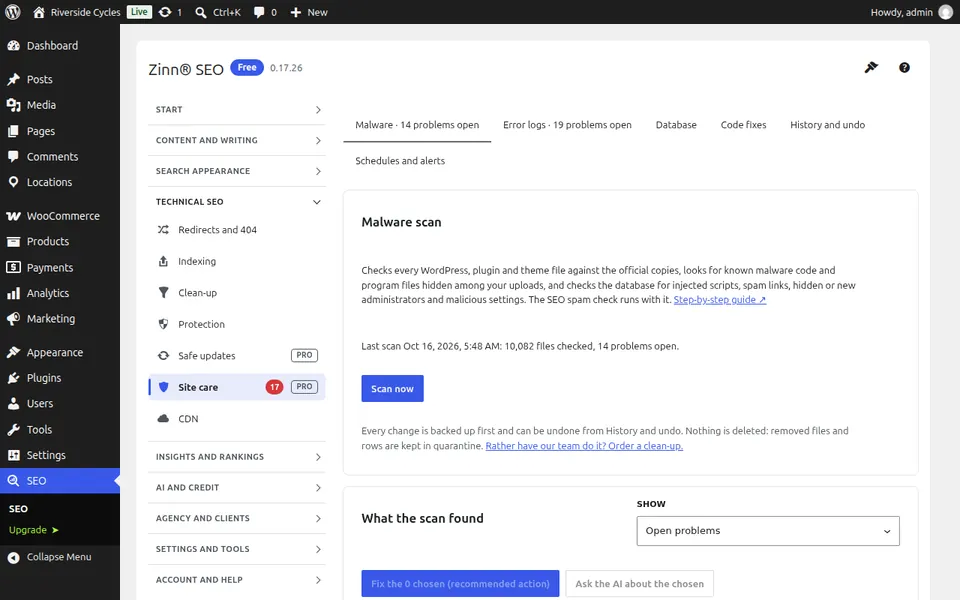
Scan your site
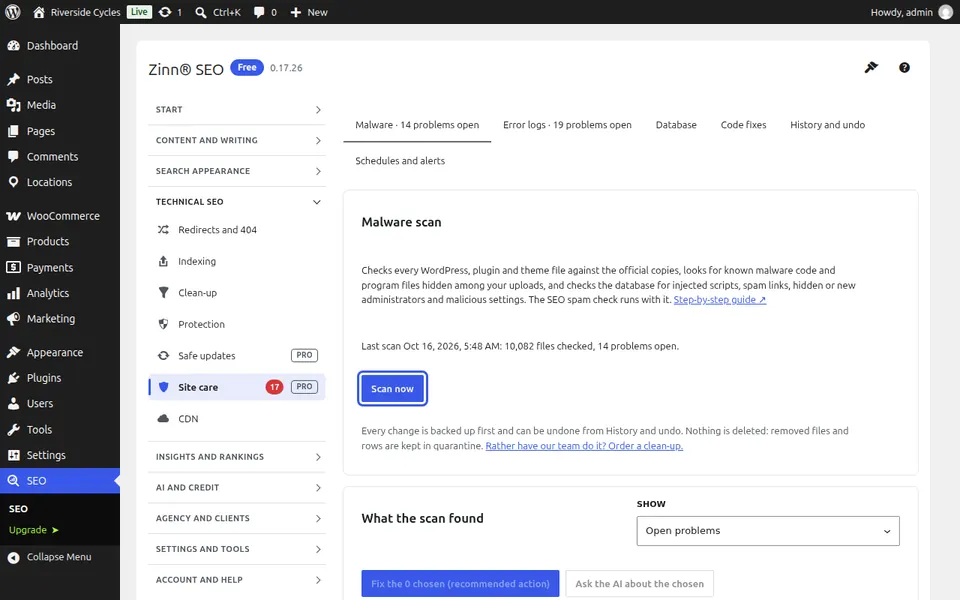
Press Scan now. Every WordPress, plugin and theme file is compared with the official copy, and your uploads, server rules, user accounts, settings and pages are checked for known malware, hidden administrators, injected scripts and spam links. The scan runs in the background, so you can leave the screen.
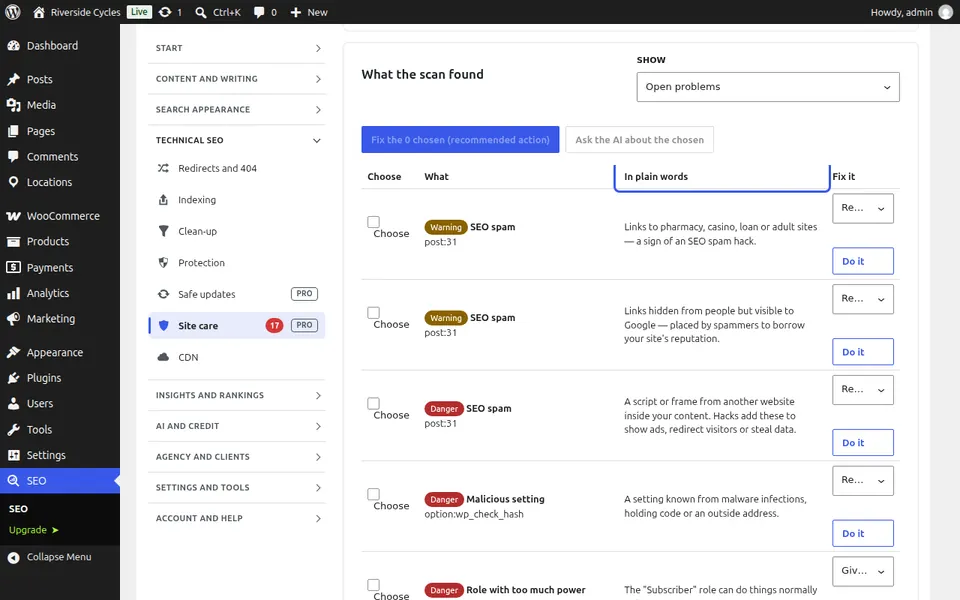
Read what was found
Each finding says what it is and why it matters in plain words, from Danger to Note. Not sure about a file? Tick it and press Ask the AI about the chosen: the code is sent with your secrets removed, and the AI says whether it is malicious, suspicious or safe.
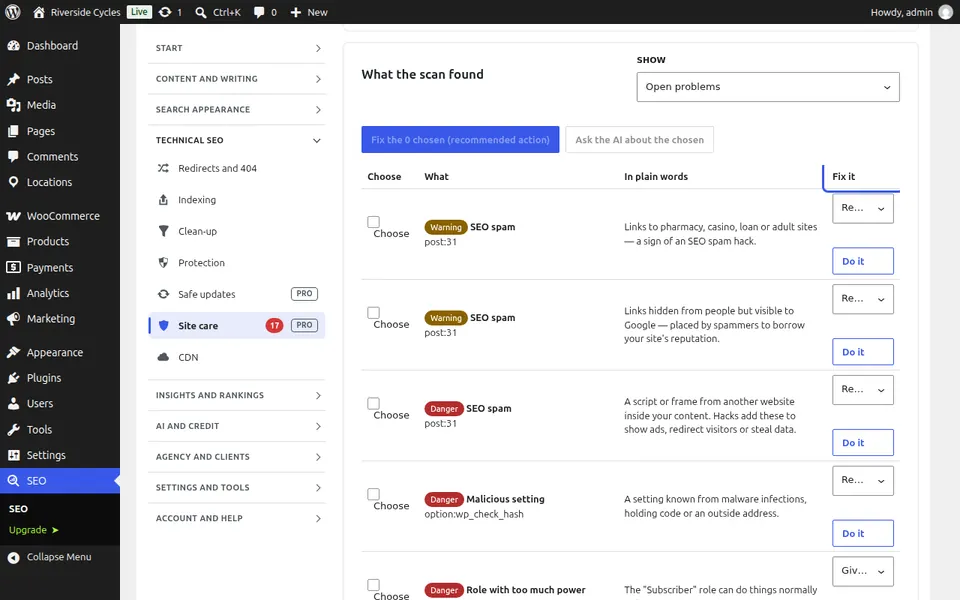
Clean it up
Tick what to clean and press Fix the chosen, or pick what to do for one finding: move a file to quarantine, put back the original WordPress or plugin file, remove the spam from a page, lock an account or remove a setting. Everything is backed up first, and each fix is checked again at once.
Undo, and scan on a schedule
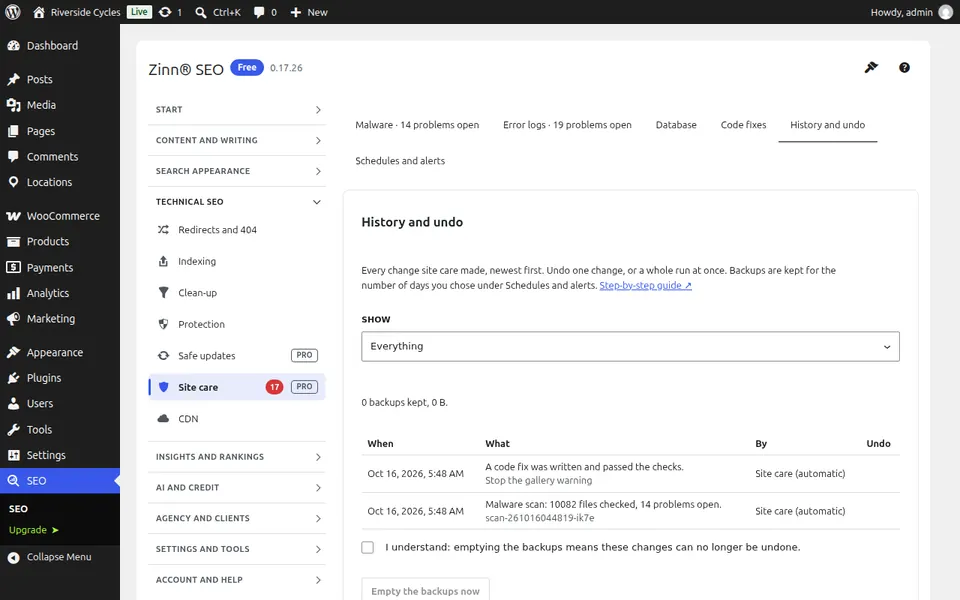
Changed your mind? Press Undo this whole run, or undo one change under History and undo. Under Schedules and alerts, choose a daily or weekly scan and you get an e-mail when something new is found. Rather have our team do it? Order a clean-up from the same screen.
Next guide: Read and fix your PHP error logs
From the same team
Want fast hosting to go with it?
Zinn Digital® hosts WordPress on its own servers, with a CDN, DNS, TLS and daily backups included in every plan.