 Zinn® SEO
Read and fix your PHP error logs
See every PHP error your site logs, grouped, with the plugin or theme behind it, explained in plain words and fixed with the AI's help.
Open Error logs
Go to SEO, Site care, Error logs. You see which logs were found, such as the PHP error log and debug.log. Fatal errors are recorded even when your site keeps no log.
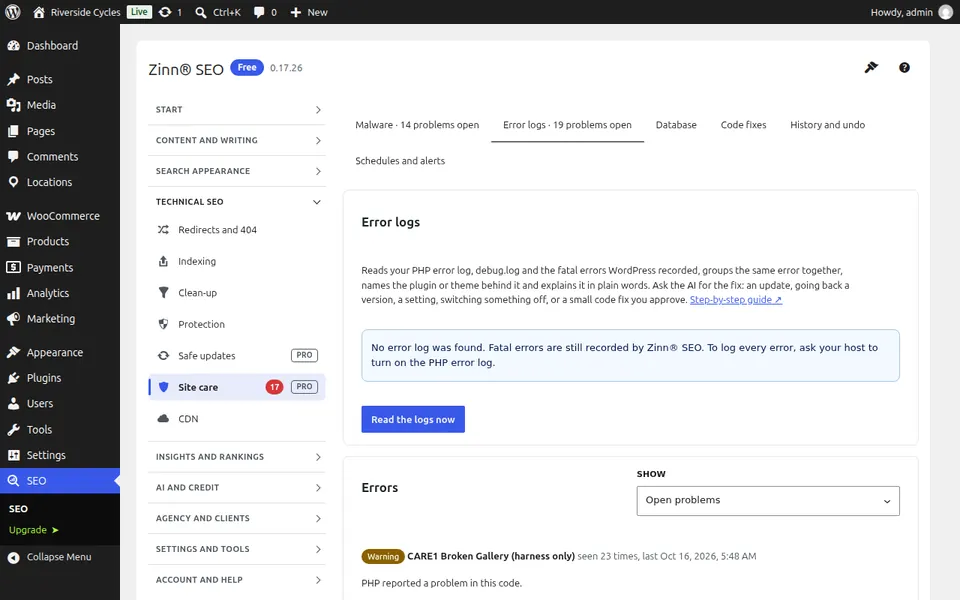
Read the logs
Press Read the logs now. The same error is grouped together with how often and when it happened, the plugin or theme behind it is named, and each one is explained in plain words.
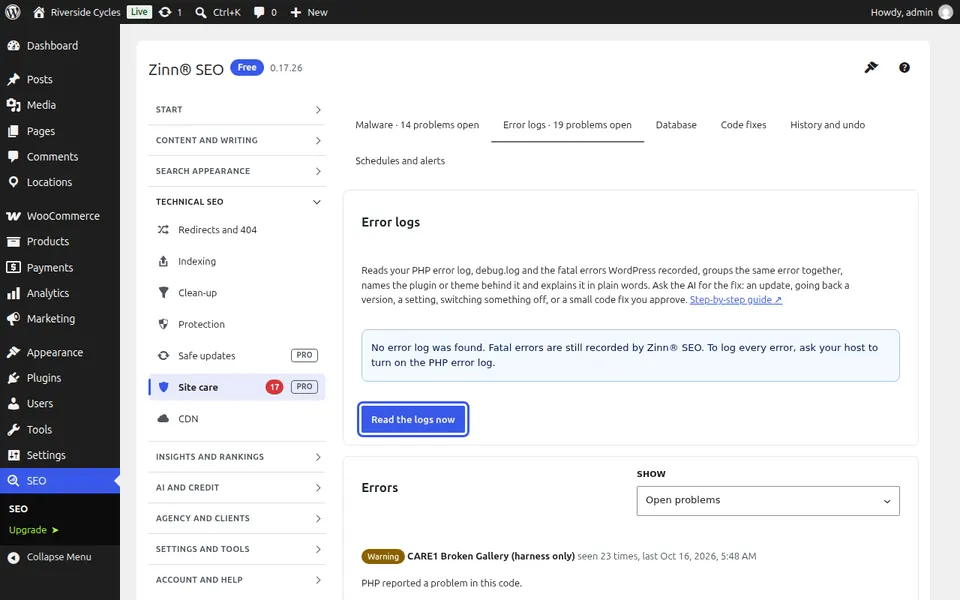
Ask for the fix
Press Explain it and propose a fix. The AI reads the error with your secrets removed first, and says what it means, the likely cause and the best fix: an update, going back a version, a setting, switching the plugin off, asking your host, or a small code fix you approve.
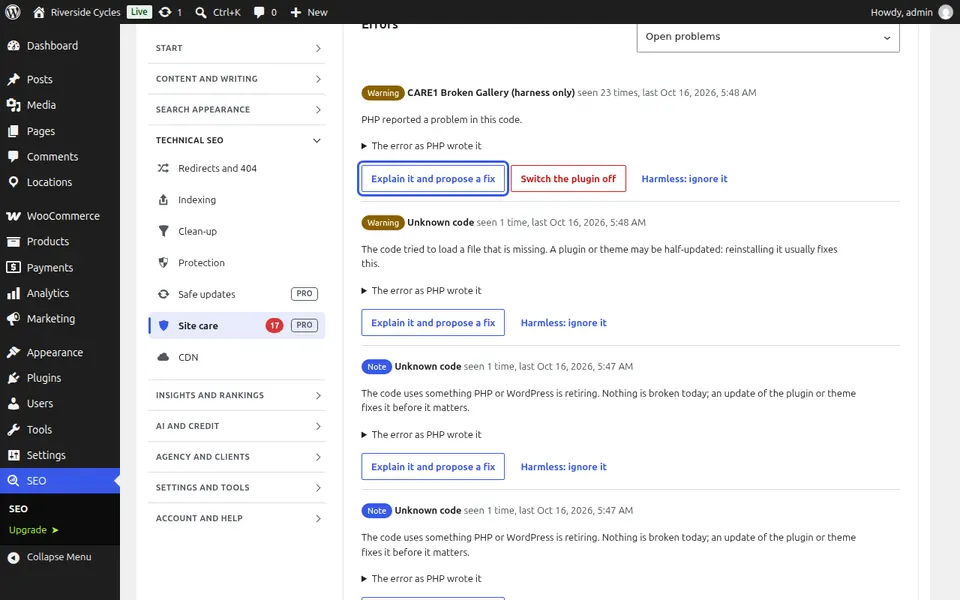
Fix it, and hear about the next one
Update the plugin, switch it off (undoable under History and undo), or read the code fix under Code fixes. Turn on Tell me about a new fatal error under Schedules and alerts to hear about the next one at once.
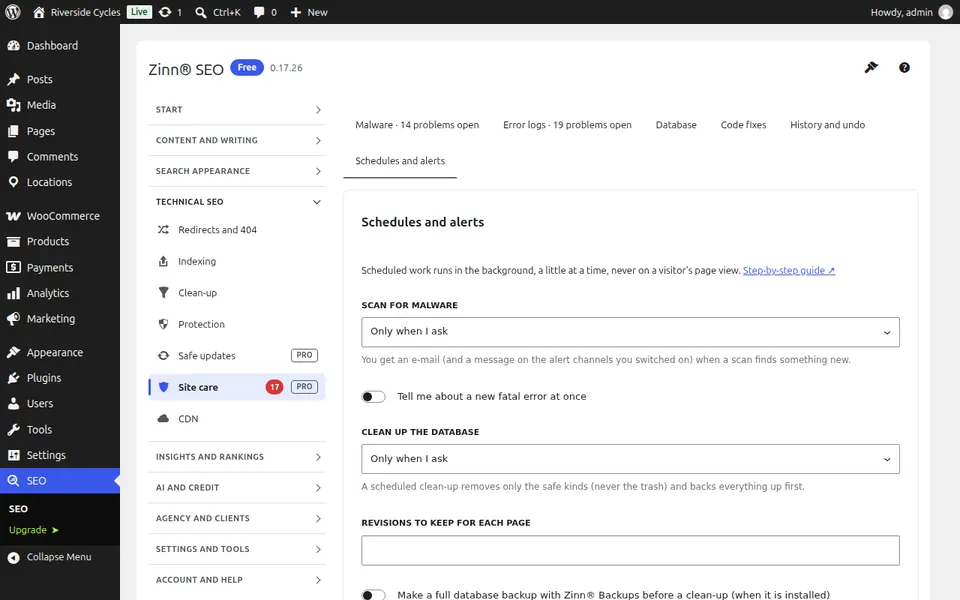
Next guide: Clean up your WordPress database safely
From the same team
Want fast hosting to go with it?
Zinn Digital® hosts WordPress on its own servers, with a CDN, DNS, TLS and daily backups included in every plan.